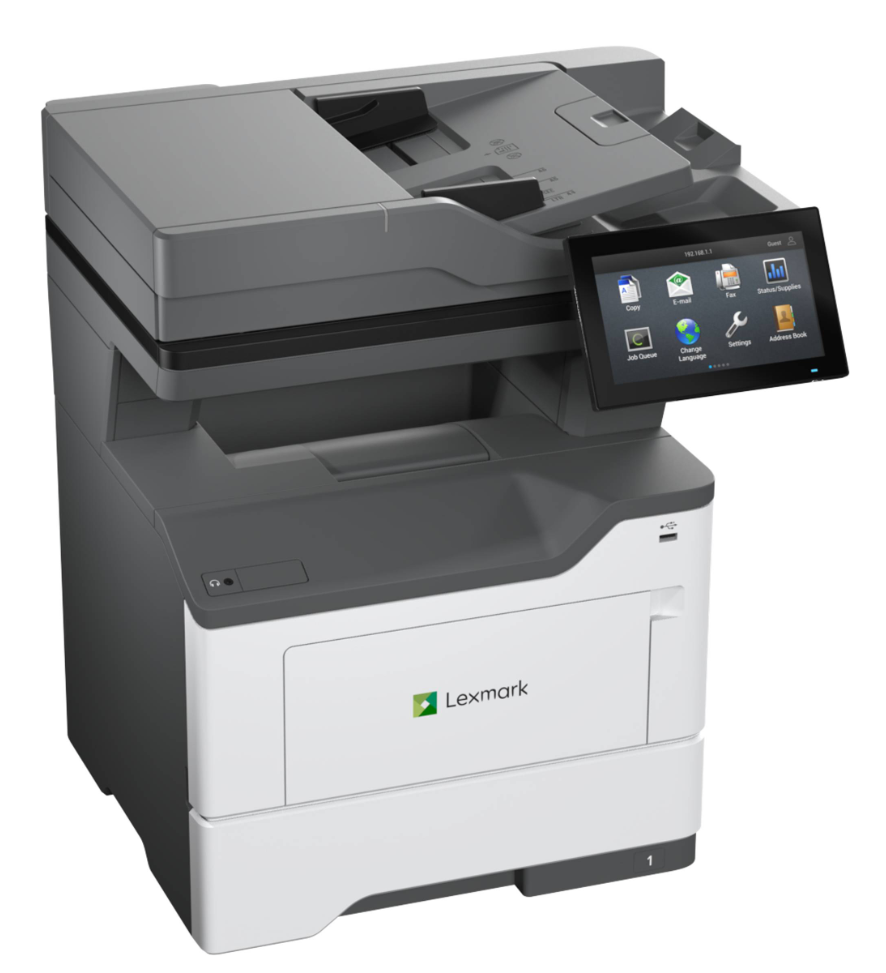
Lexmark XM3350

image

Lexmark XM3350

Streamline everyday workflows with the Lexmark XM3350, a compact monochrome multifunction printer designed for small to mid‑size workgroups. Built for reliability and ease of use, the XM3350 delivers fast output, intuitive operation, and enterprise‑level security features in a space‑efficient design.

  • Print speeds up to 50 pages per minute for busy office environments
  • Print, copy, scan, and fax from a single, compact device
  • Simplify tasks with a customizable touchscreen and smart workflows
  • Protect sensitive data with Lexmark’s built‑in security architecture

Up to 8.5×14″

50 PPM

Mono MFD

600-2,300 Paper Capacity

High‑Speed Monochrome Performance
Delivers fast black‑and‑white printing at up to 50 pages per minute, ideal for busy workgroups.

All‑in‑One Productivity
Print, copy, scan, and fax from a single compact device designed for everyday office workflows.

Advanced Scanning & Workflow Support
Single‑pass duplex scanning with built‑in workflow features helps digitize documents quickly and accurately.

Enterprise‑Level Security
Built with Lexmark’s secure‑by‑design architecture to protect data, devices, and network connections.

Expandable Paper Handling
Scales with your needs, supporting higher volumes through optional paper trays and finishing options.

Intuitive Touchscreen Interface
A customizable color touchscreen simplifies common tasks and user interaction.

Device Type
Monochrome Multifunction Printer (Print / Copy / Scan / Fax)

Print Speed
Up to 50 ppm (letter)

Print Resolution
Up to 1200 × 1200 dpi

Paper Sizes Supported
Up to 8.5″ × 14″ (Legal)

Paper Capacity

  • Standard: 650 sheets
    • 550‑sheet main tray
    • 100‑sheet multipurpose feeder
  • Maximum: Up to 2,300 sheets with optional trays

Duplex Printing
Standard automatic duplex

Scan Speed

  • Up to 52 images per minute (simplex)
  • Up to 104 images per minute (duplex)

ADF Capacity
100‑sheet Dual Scan Document Feeder (single‑pass duplex)

Connectivity
Ethernet, USB, Wi‑Fi (standard), mobile and cloud printing support

Monthly Duty Cycle
Up to 175,000 pages

Recommended Monthly Volume
2,000 – 20,000 pages

Display
7‑inch color touchscreen

Security Features
Secure boot, firmware integrity checks, encryption, user authentication, and TPM support

Print Technology
Monochrome laser electrophotographic printer

Processor
1.2 GHz quad‑core processor

Memory (Standard / Maximum)
2 GB standard (max supported)

Hard Drive / Storage
Optional hard disk support for advanced workflows and security features

Monthly Duty Cycle (Maximum)
Up to 175,000 pages per month

Recommended Monthly Page Volume
2,000 – 20,000 pages

Warm‑Up Time
Fast time to first print from ready and sleep modes (engineered for workgroup use)

First Page Out Time
As fast as ~6.0 seconds (letter) from ready state

Print Languages / Emulations
PCL® 5c, PCL® 6, PostScript® 3™ emulation, PDF Direct Print

Operating Systems Supported
Windows, macOS, Linux, and Citrix environments

Mobile & Cloud Printing
Lexmark Mobile Print, AirPrint®, Mopria®, cloud‑based output workflows
Read more

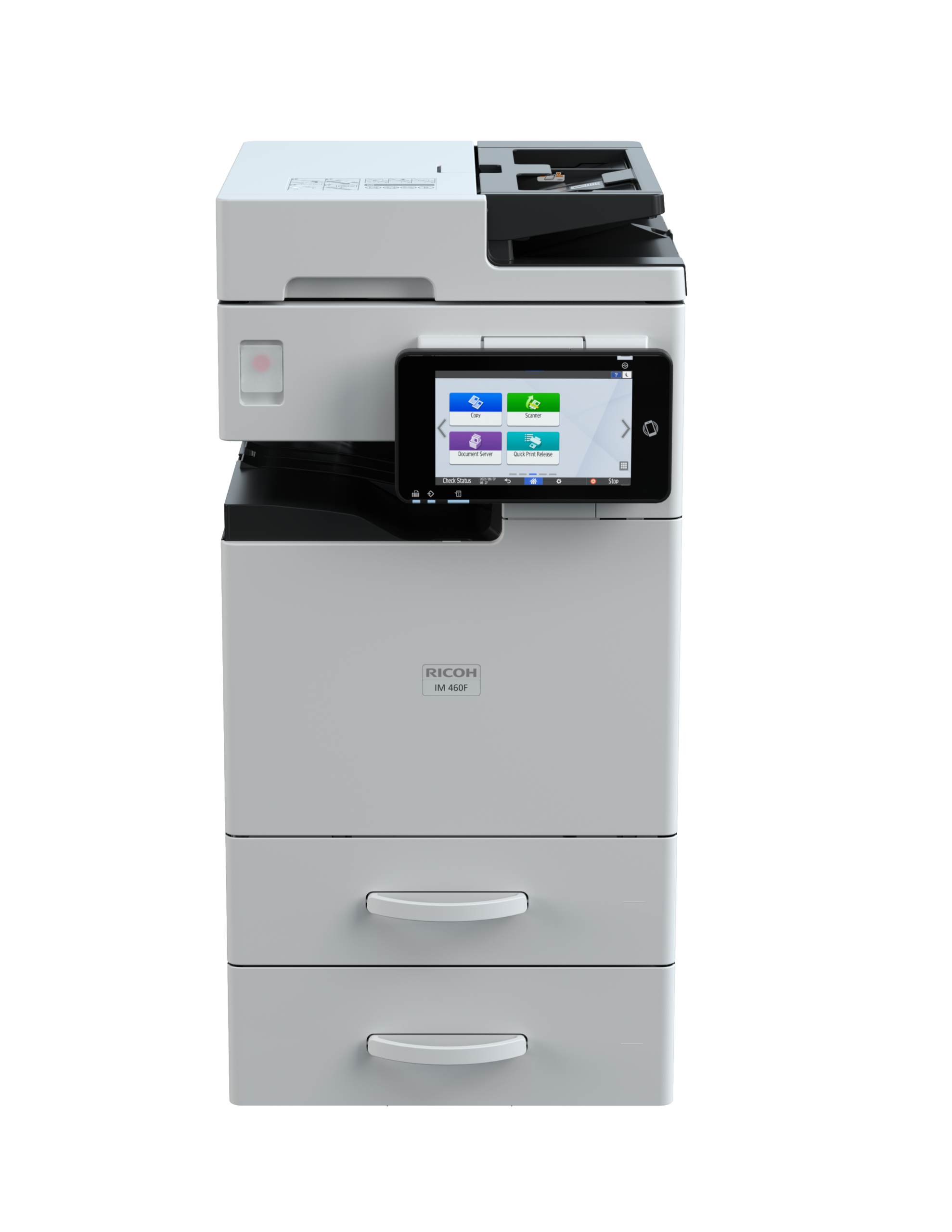
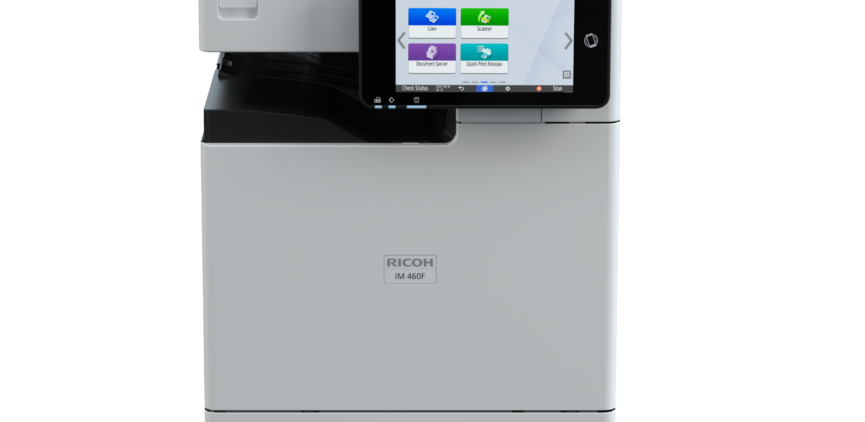
Ricoh IM 370F

image

Ricoh IM 370F

Add scalable intelligence efficiently and economically

  • Prints up to 37 ppm, copy, scan, fax
  • 1200×1200 dpi max print resolution
  • Paper capacity up to 2,100 pages
  • Capacitive touchscreen and fast CPU for a smooth user experience

Up to 11×17″

37 PPM

Mono MFD

2,100 Paper Capacity

Maximize productivity in compact spaces
Elevate your productivity without sacrificing your workspace. The compact RICOH IM370F MFP seamlessly fits anywhere, maximizing efficiency and your budget. Ideal for diverse settings like offices, banks, pharmacies, and hospitals, it swiftly prints 37 black-and-white pages per minute. This all in one device excels at copying, faxing, scanning and instant document sharing. Making it an affordable and versatile solution.

Accelerate workflow with rapid printing speeds
The IM 370F takes your productivity to new heights with faster printing at 37 ppm, improved 46 ipm SPDF scanning, A3/DLT support and a high 2,100 maximum paper capacity. Stronger and more compact than it’s predecessors, the IM 370F allows for unparalleled efficiency without sacrificing quality.

Protect vital data and save energy
The 7″ Smart Operation Panel, powered by Android OS 10, offers expanded security capabilities to safeguard business-critical information and documents, while new energy-saving features lower the operation panel’s power usage in sleep mode by 45%.

Empowering secured guest printing
The IM 370F accepts forwarded communication from the Smart Operation Panel’s WiFi interface, even when Access Control is enabled. This feature empowers administrators to maintain network security while offering guest users the flexibility to conveniently print from their smart devices.

Scan, fax or share in an instant
Keep your data moving with the Single Pass Document Feeder and scan up to 46 images per minute (ipm), then distribute those files via multiple Scan-to-Email/Folder/URL/USB/SD/FTP destinations. With optional Optical Character Recognition (OCR), you can scan files for fast, easy keyword searching. Additionally, the IM 370F supports A3/DLT scanning, printing, and faxing.

Configuration Desktop
Control Panel 7″ Smart Operation Panel
Color/Black & White Black & White
Output Speed Copy/Print 37 ppm
First Page Out Time Less than 5 seconds
Warm-Up Time Less than 32 seconds
Resolution 1200 x 1200 dpi
System Memory 6 GB (Mainframe 2GB+SOP 4GB)
Maximum Copy Quantity Up to 999 copies
Single Pass Document Feeder (SPDF) 50 sheets
Zoom Range 25% to 400% in 1% increments
Supported Paper Sizes Paper Tray: 4” x 6” – 8.5” x 11” (A4 – A6)
Bypass: Up to 11.69” x 35”, Envelopes
Supported Paper Weights Standard Trays: 16 – 40 lb. / 90 lb. Index (60 – 162 g/m2)
Bypass Tray: 14 – 80 lb. /166 lb. Index (52 – 216 g/m2)
Standard Paper Capacity 600 sheets
Maximum Paper Capacity 2,100 sheets
Standard Output Capacity 250 sheets
Power Source 120 – 127V/60Hz
Typical Electricity Consumption (TEC) 0.38 kWh/week
TEC value is measured based on the ENERGY STAR Ver.3.0 test method.
Power Consumption Maximum: Less than 1,600W
Operation: 527.6 W
Ready: 42.1 W
Sleep: 0.41 W
ENERGY STAR® Certified
EPEAT Status Gold
Dimensions W x D x H 14.7″ x 19.4″ x 25.2″
Weight 90.4 lbs. (41 kg)
Interfaces Standard: Ethernet 10 base-T/100 base-TX/1000 base-T, USB Host I/F Type A, USB Device I/F Type B
Supported Operating Systems Windows® environments: Windows® 8.1, Windows® 10, Windows® 11, Windows® Server 2016, Windows® Server 2019, Windows® Server 2022
Mac OS environments: v10.15 or later
UNIX environments: Sun Solaris, HP-UX, SCO OpenServer, RedHat Linux Enterprise, IBM AIX
SAP® environments: SAP® R/3® , SAP® S/4®
Printer Languages Standard: PCL 5e, PCL6, PostScript®3™ Emulation, PDF Direct Print Emulation
Optional: Genuine Adobe® PostScript®3™, Adobe® PDF Direct Print, XPS, IPDS
Print Resolution Up to 1200 x 1200 dpi
Mobile Printing Support Apple AirPrint™, Mopria, Ricoh Smart Device Connector

RICOH Smart Integration Solutions Get your files to the right place, in the right format, with the right file name with document management workflow software. Compatible with Microsoft 365 SharePoint and OneDrive or Google Drive.
XM fax Secure, convenient digital fax from mobile, desktop or MFP
Read more

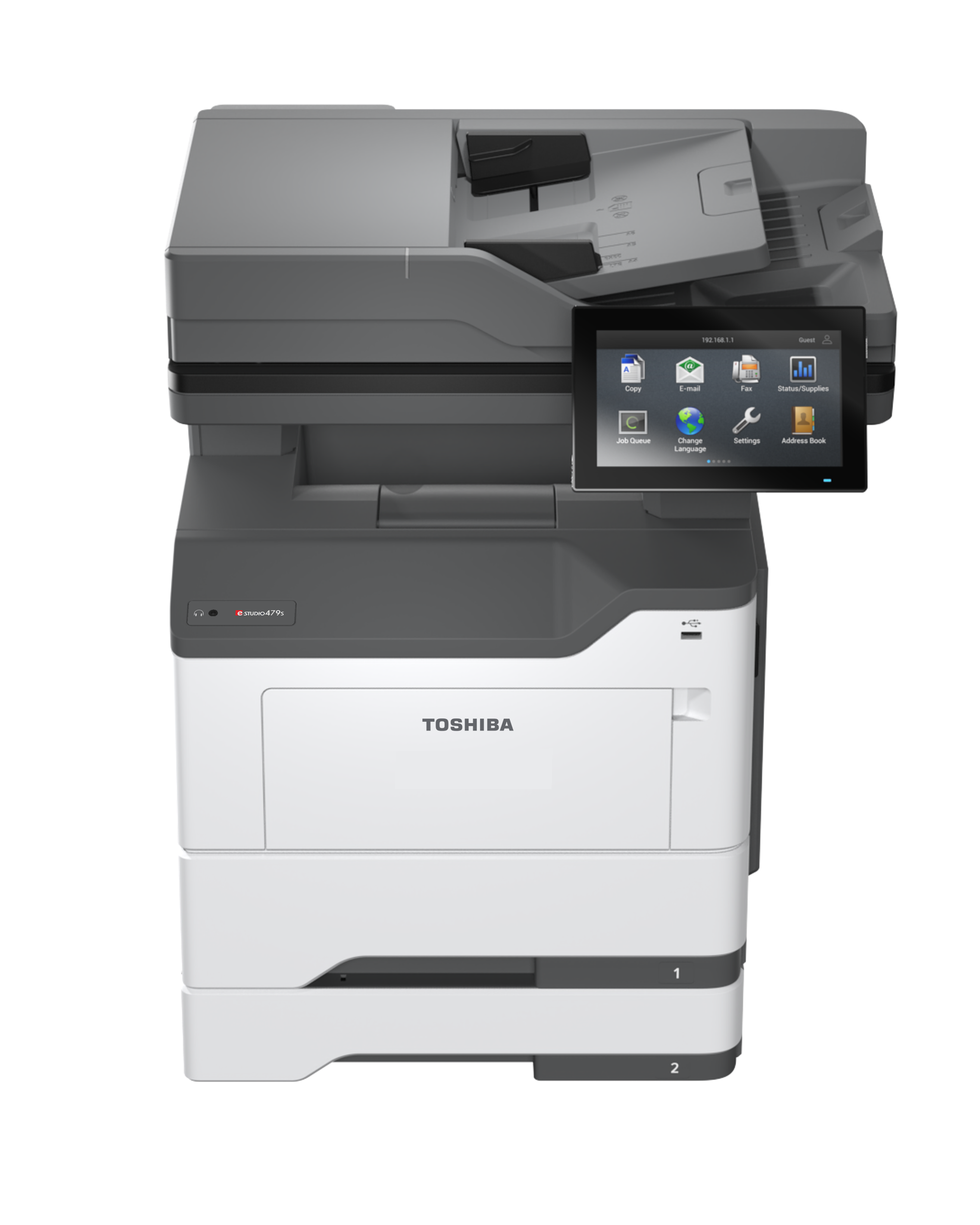
Toshiba e-Studio 479S

image

Toshiba e-STUDIO 479S

Get work done like never before. 
  • Print faster with speeds up to 50 pages per minute
  • Save time with built-in productivity apps
  • Work with less interruptions thanks to greater input capacity

Up to 8.5×14″

50 PPM

Mono MFD

650-2,300 paper capacity

Productivity
Monochrome Print Speeds up to 50 PPM
Single Pass Duplexing Automatic Document Feeder
Scan speed Up to 100 IPM Duplex, 50 IPM Simplex
Solutions Ready
ENERGY STAR® Certified
High compression PDF scanning (Slim PDF)
Stapler finisher
Universal Print Driver

Image Quality
1200 x 1200 dpi print resolution
2,400 dpi image quality

Operability
7-inch tilting color control panel for easier operation
Remote VNC (MFP operable via PC, Tablet or Mobile Device)
Voice Guidance
Control Panel MFP hard keys (buttons)
Fax Standard
Universal Print Driver common with all current Toshiba e-BRIDGE MFPs

Serviceability
Easy to Maintain
High Yield Consumables
Max MCV of 175K pages

Copy Process Indirect Electrostatic Photographic Method/OPC/Laser Printing/Heat Roller Fusing
Display 7” Color TFT Touch Screen Tilting Display
Copy Speed 50 PPM (LT)
First Copy Out As Fast as 6 Seconds
Warm-Up Time Approx. 20 Seconds
Copy Resolution 600 x 600 dpi
Stack Feed Bypass 3.0” x 5.0” to LG, Envelope
Multiple Copying Up to 999 Copies
Paper Capacity Standard 650 Sheets/Max. 2,300 Sheets
Original Feed Standard 100-Sheet DADF
Scan Speed & Weights DADF Scan: Mono – Up to 100 IPM Duplex, 50 IPM Simplex
Color – Up to 64 IPM Duplex, 32 IPM Simplex,14-32 lb Bond
Max. Original Size LG (8.5″ x 14″)
Paper Weights Drawers: 16 – 32 lb Bond,
Multipurpose Tray: 16- 58 lb Bond
Duplex Standard Automatic Duplex Unit: 16 – 24 lb Bond
Duplex Standard Automatic Duplex Unit (16 lb Bond-140 lb Index)
Reproduction Ratio 25% to 400%
Max Duty Cycle Max. 175K Month
Weight Approx. 47lb
Approx. Dimensions 18.9” (W) x 17.8” (D) x 20.2” (H)
Toner Yield 31K @ 5%
Power Source 120 Volts, 50/60 Hz, 15 Amps
Power Consumption Maximum 1.5kW (120V)
Plug Type NEMA 5/15
Memory 2GB
Hard Disk Drive 128GB Solid State Drive (SSD)

PDL
PostScript 3, PCL 6, PCL 5, PCLm, PPDS, PDF v1.7, Direct Image

Print Speed
50 Pages Per Minute (LT)

Print Resolution
1200 x 1200 dpi, 2400 Image Quality, 1200 Image Quality, 600 x 600 dpi, 300 x 300 dpi

Standard Ports
Rear USB 2.0 Specification High Speed Certified Port(Type A),
Front USB 2.0 Specification High Speed Certified Port (Type A), Gigabit Ethernet (10/100/1000), USB 2.0 Specification High Speed Certified Port (Type B), 802.11b/g/n/ac + BLE

Network Ports
WiFi/Internal 1284-B Bidirectional Parallel, Internal RS-232C Serial

Device Management
Embedded Web Server

Accessibility Features
Tilt Front Panel, 508 Accessibility Support, Voice Guidance

E-Bridge Cloud Extension Apps Make use of Toshiba’s add-on extensions to scan with the equipment directly into your cloud environment. Compatible with Microsoft 365 SharePoint and OneDrive or Google Drive.
e-Bridge Cloud Print Securely print your documents from anywhere. (Microsoft 365 or Google account required)
Read more