
Toshiba e-Studio 401AC
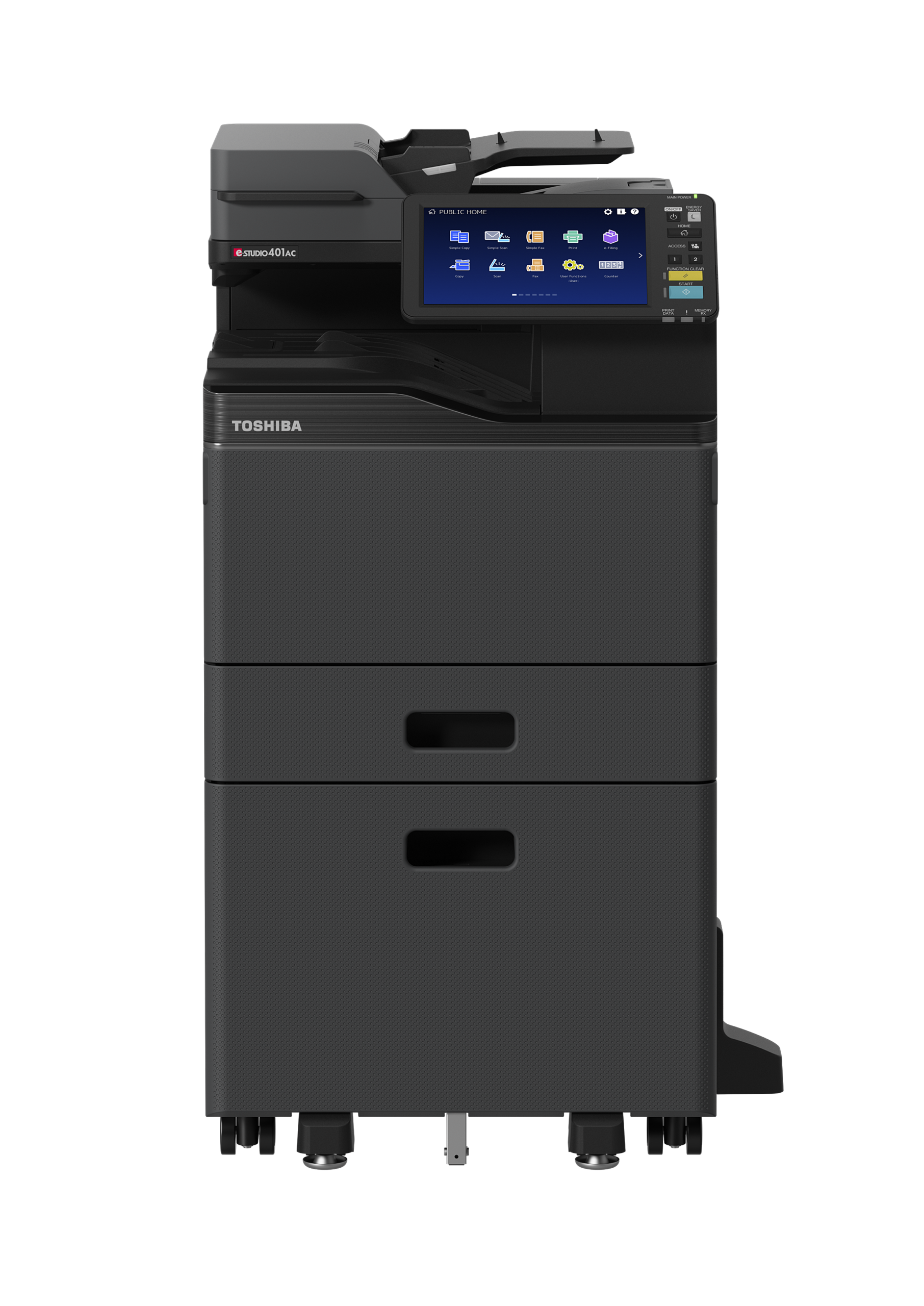
Toshiba e-STUDIO 401AC
Experience everything about a larger MFP through a device that fits right on your desk or rolls up next to it
-
- Print documents faster with speeds up to 42 pages per minute
- Simplify and streamline workflow for small to midsize teams
- Send and track jobs from anywhere through cloud features
- Easily customize touch-screen front panel to your team’s needs
Up to 8.5×14″
42 PPM
Color MFD
650-3,200 Paper Capacity
Productivity
Color print speeds of up to 42 PPM
Scan speeds of up to 120 IPM Duplex
e-BRIDGE Next Open Platform support
Built-in Optical Character Recognition
8.5” x 14” 140 lb index automatic duplexing from the drawers
140 lb Index support through the bypass
Blank page omission for copying and printing
Outside Erase for copying books and 3D objects
High compression PDF scanning (Slim PDF)
Convenience Stapler Option
Universal Print Driver
256GB Self-Encrypting, Solid State Drive (SSD), optional 512GB (768GB total)
Job Skip
Image Quality
Patented ASICs provide superb clarity and rich text renditions in all scanning, printing and copying jobs
Up to 1200 x 1200 dpi print resolution
Automatic Image quality control function
Operability
Toshiba developed 10.1-inch tablet-style touch color control panel for easier operation
Quick Copy & Scan Buttons
Scan Preview
Fax Option
One Touch Templates
Private Printing Feature
| Copy Process | Indirect Electrostatic Photographic Method/OPC/Laser Printing/Heat Roller Fusing |
| Display | 10.1” Color WSVGA Touch Screen Tilting Display |
| Copy Speed | 42 PPM (LT) |
| First Copy Out | 6.3 Seconds Color/5.1 Seconds B&W |
| Warm-Up Time | Approx. 20 Seconds |
| Copy Resolution | 600 x 600 dpi |
| Multiple Copying | Up to 999 Copies |
| Paper Capacity | Standard 650 Sheets/Max. 3,200 Sheets |
| Original Feed | Standard 100-Sheet DSDF |
| Scan Speed & Weights | Up to 120 IPM Duplex, 60 IPM Simplex (Monochrome or Color) Simplex: 9.3 -28lb Bond, Duplex: 9.3 – 28lb Bond |
| Max. Original Size | LG (8.5″ x 14″) |
| Paper Feed Sizes | Drawer 1: 550 Sheets-ST-R to LG Stack Feed Bypass: 100Sheets-3.9”x5.8”to8.5” x 14” (LG), Envelope, Banner (8.5” x 52”) Opt. 550-Sheet Paper Feed Unit (up to 3)-ST-R to 8.5” x 14” (LG) Opt. 2,000-Sheet LCF (Pedestal Type)-LT Only |
| Paper Weights | Standard: 550 Sheets x 1-16 lb Bond-140 lb Index Stack Feed Bypass: 100 Sheets-14 lb Bond-140 lb Index Opt. 550-Sheet Paper Feed Unit-16 lb Bond-140 lb Index Opt. 2,000-Sheet LCF (Pedestal Type)-16 lb Bond-140 lb Index |
| Duplex | Standard Automatic Duplex Unit (16 lb Bond-140 lb Index) |
| Reproduction Ratio | 25% to 400% |
| Max Duty Cycle | Max. 150K Month |
| Weight | Approx. 117 lb |
| Approx. Dimensions | 20.5” (W) x 21.3” (D) x 25” (H) |
| Toner Yield | K: 18.4K; CMY: 17.4K @ 5% |
| Power Source | 120 Volts, 50/60 Hz, 12 Amps |
| Power Consumption | Maximum 1.5kW (120V) |
| Plug Type | NEMA 5/15 |
| Memory | 4GB |
| Hard Disk Drive | 256GB Solid State Drive (SSD) |
PDL
PCL5e, PCL5c, PCL6 (PCL XL), PS3, PDF, XPS, JPEG
Print Speed
42 Pages Per Minute (LT)
Print Resolution
600 x 600 dpi (5bit), 1,200 x 1,200 dpi (Color/2bit) or 3,600 (Equivalence) x 1,200 dpi (BW/with Smoothing) (PS3Only)
Network OS
Windows®10 (32 bit/64 bit), Windows®11 (64 bit), Windows Server®
2016/2019/2022, Citrix XenApp/XenDesktop 7.6 (LTSR), Citrix
XenApp/XenDesktop 7.15 (LTSR), Citrix Virtual Apps and Desktops
2xxx(CR), Citrix Virtual Apps and Desktops 1912 (LTSR), Citrix Virtual
Apps and Desktops 2203 (LTSR)
Unix Filters
Unix®11, HP-UX (Ver 11.iv3), AIX 7.x, Linux® RedHat Enterprise 5.x,
6.x, 7.x, Fedora Ver 27, 28, SuSE Linux Enterprise Server Ver 12, 15,
Open SuSE Ver. 13.2, 15, Ubuntu14.04LTS, 18.04, Debian 7.8, 8, CUPS
V1.1.15
Network Protocols
TCP/IP (IPv4, IPv6), NetBIOS over TCP/IP, EtherTalk for Macintosh Environments
Printing Protocols
SMB, LPR/LPD, IPP (Ver.1.0) w/Authentication, Port 9100 (Bi-Directional),WS Print (w/ SSL/TLS) TLS1.2, 1.3 Support, FTP (w/ SSL/TLS) TLS1.2, 1.3 Support, iBeacon, Mopria Beacon, Bluetooth (HCRP/BIP/OPP/FTP) optional
Print Drivers
Windows®10 (32 bit/64 bit), Windows®11 (64 bit), Windows Server® 2016/2019/ 2022 (64 bit), Macintosh® : macOS X 10.12, 13, 14, 15, macOS 11, 12, 13, 14, 15
Interface
RJ-45 Ethernet (10/100/1000 Base-T), USB 2.0 (High-Speed)
Optional IEEE802.11b/g/n, Wireless LAN, Optional Bluetooth
Wireless Device
AirPrint®, Mopria®, e-BRIDGE Print & Capture Application on iOS and Android (Available via Apple® App Store or Google Play)
Device Management
TopAccess, Elevate Sky MFP Connect
Account Control
Up to 10,000 users or 1,000 Departments Supports User Authentication (on Device), Login Name/Password (via Windows domain) or Login Name/Password (via LDAP Server) for Copy, Print, Scan, Fax, List, and User Function
Accessibility Features
Tilt Front Panel, Job Programs, Universal Grip for Paper Trays, Disable Screen Timeout and Audible Beep Message Alerts, optional Voice Guidance
Security Features
User Authentication, SCEP, Disable e-Filing, Disable Copy, Disk Overwrite, IP Address Filtering (10 Sets), MAC Address Filtering (10 Sets), Network Service Control, Network Port Control, SMB Packet Signing, SSL/TLS (HTTP, IPP, LDAP, SMTP, POP, FTP, DPWS, SYSLOG), IPsec (IKEv1, IKEv2), Security Mode Change, CC Certified (ISO/IEC15408)* with HCD-PP v1.0*, IEEE802.1X (Wired/Wireless), Digital Signature for Client Utilities, Password Policy, Password Lock, Password Expiration, Self Testing, Job Access Control, Log
Access Control for Job Log, Security Stamp, Role Based Access Control, Secure PDF, Digital Signature for Firmware Update, Integrity Check Function, Image Log, Card Authentication, NFC Authentication
Environmental Stds
ENERGY STAR® (V3.2), EPEAT Gold, Californian Proposition 65
Certification
IPv6 Phase 2, Windows (WHQL) Printer (10, 11, 2016, 2019, 2022), Scanner (WIA Driver), Citrix®, SAP (Gold Member), AirPrint® and Mopria®, iBeacon® for Printers, Mopria Beacon
| E-Bridge Cloud Extension Apps | Make use of Toshiba’s add-on extensions to scan with the equipment directly into your cloud environment. Compatible with Microsoft 365 SharePoint and OneDrive or Google Drive. |
| e-Bridge Cloud Print | Securely print your documents from anywhere. (Microsoft 365 or Google account required) |
| Elevate Sky | Service dealer remote device troubleshooting. |
| Elevate Sky Translate | Translate documents instantly from Toshiba MFPs with AI-powered precision—seamless multilingual communication made simple. |