
Ricoh IM CW2200
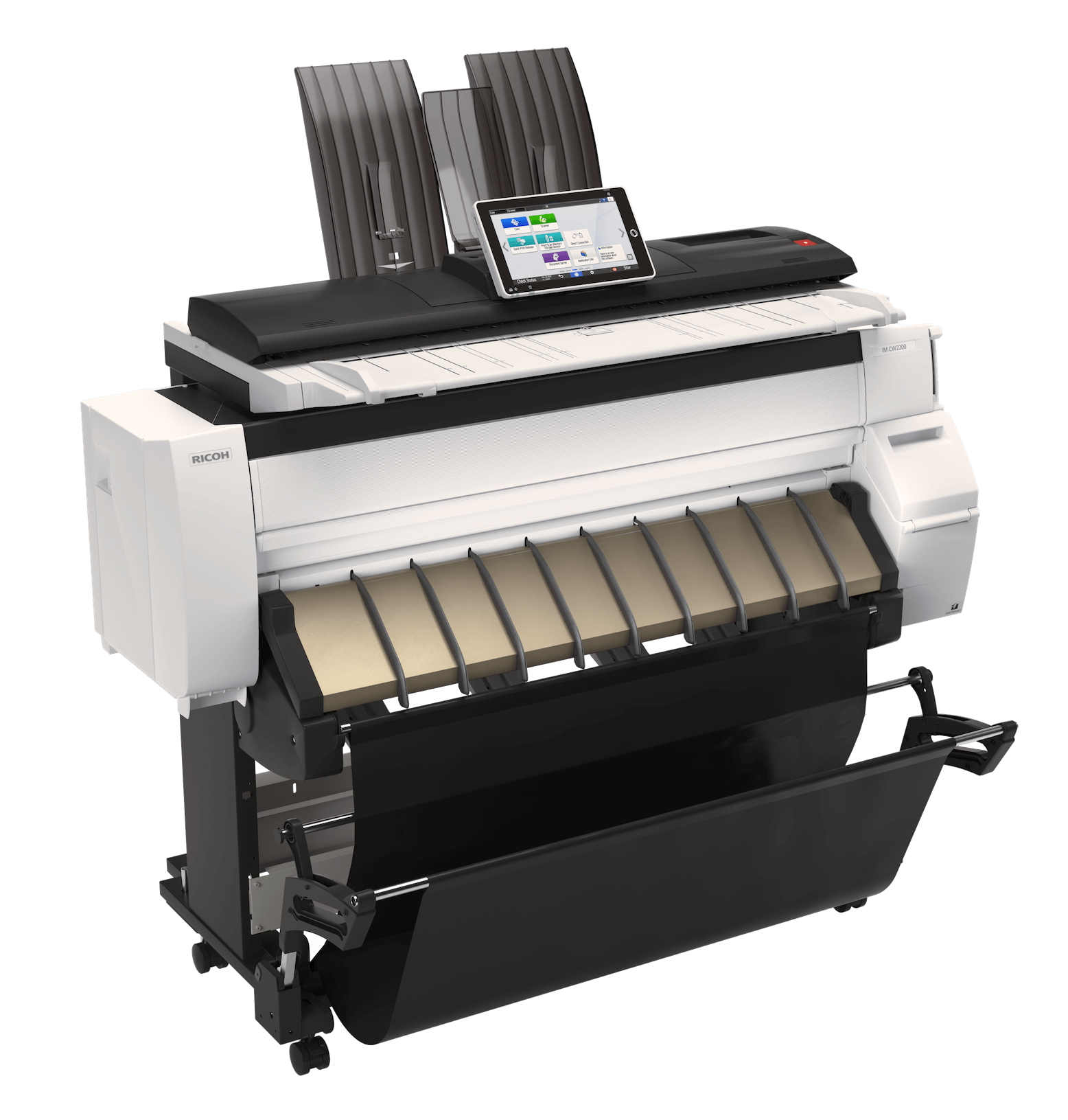
Ricoh IM CW2200
Set your business apart with precision, productivity and high-quality color capabilities
- Rely on advanced imaging technology to deliver your ideas and designs in full-color with crisp text and fine lines.
- Perform tasks faster with an intuitive 10.1” Smart Operation Panel.
Get the job done where and when it needs to happen with cloud connectivity and mobile support. - Benefit from the automatic paper roll setting and fast print speeds across multiple media types (2.1 ppm in color and 3.8 ppm in black & white).
- Ensure sensitive information stays protected with the latest security features.
Deliver what the project demands
From technical drawings, detailed maps and planograms to rich CAD drawings and blueprints, achieve wide-format output that can exceed expectations and capture new opportunities. Our waterproof GEL-Jet™ technology uses inks that are smudge free and UV resistant. Your prints will remain durable and viewable on-site, despite weather conditions.
Details matter
Enhance sophistication at every level of planning and development with the reliable IM CW2200 and IP CW2200. Present vibrant drawings, razor-sharp lines and 3D renderings with up to 1200 x 1200 dpi print resolution. Confidently capture and share collaboration notes and precise colors with 600 x 600 dpi copy and scan resolutions (IM CW2200 only). Use the preview function to ensure accuracy before printing, sharing or storing.
Make complex simple
The IM CW2200 and IPCW2200 have the power to streamline operations and keep teams in sync. Store up to 3,000 files on the Document Server. Integrate seamlessly with cloud-based solutions. Support mobile workers with the RICOH Smart Device Connector app. Scan-to (IM CW2200 only) and print from a USB device or SD Card. Create intelligent workflows with shortcut icons, folders and more.
| Copying/Printing Process | On-demand Piezo inkjet system (pigment-based ink) |
|---|---|
| First Copy Time from Standby mode | IM CW2200: A0 SEF: B/W: high speed copy: 51 sec., standard: 71 sec. IM CW2200: A0 SEF: full colour: high speed copy: 81 sec., standard: 155 sec. IM CW2200: A1 LEF: B/W: high speed copy: 29 sec., standard: 41 sec. IM CW2200: A1 LEF: full colour: high speed copy: 53 sec. standard: 84 sec. |
| Resolution | 600 x 600 dpi |
| Grayscale Scanning | IM CW2200: Yes |
| Zoom | IM CW2200: 25% to 400% by 0.1% increments |
| Multiple Copies | IM CW2200: 1 to 99 |
| Memory Capacity | 4 GB |
| Hard Disk Drive | IM CW2200: 320 GB (shared with copier/printer/scanner) |
| Original Feed | 1 Sheet |
| Original Scan Size | IM CW2200: Minimum: 8.5 – 8.5”, Maximum: 36 – 590” |
| Original Paper Weight | Maximum Roll Feeder: 36” width, 1,299” length Maximum Bypass: 36” width, 78.7” length |
| Output Paper Size | Maximum Roll Feeder: 914.4 mm width, 33,000 mm length Maximum Bypass: 914.4 mm width, 2,000 mm length |
| Output Paper Weight | Roll Paper: 0.068 – 0.2 mm (51 – 190 g/m²) Cut Sheet: 0.068 – 0.4 mm (51 – 220 g/m²) |
| Reproduction Ratio | IM CW2200: Engineer (inch): 25%, 32.4%, 50%, 64.7%, 129.4%, 200%, 258.8%, 400% |
| Paper Feeding Capacity | IM CW2200: Width: 297 – 914 mm, 11″ – 36″, Bypass: 1 sheet |
| Power Source | 120 – 127 V, 3.6 A (max.), 60 Hz |
| Max Power Consumption | IM CW2200: 180W IP CW2200: 160W |
| Dimensions WxDxH | IM CW2200: 54.5” x 26.6” x 48” (1,384 x 675 x 1,220 mm) IP CW2200: 54.5″ x 26.0″ x 44.0″ (1,384 x 660 x 1,117 mm) |
| Weight | IM CW2200: 265 lbs. (120kg) IP CW2200: 220 lbs. (100kg) |
| Controller Board | Embedded |
|---|---|
| CPU | 1.6 GHz |
| Print Resolution | Speed priority (drawing): 600 x 300 dpi Standard: 600 x 600 dpi Quality priority: 600 x 600 dpi (Quality priority mode for only coated paper) film (matted) and special paper: 1200 x 1200 dpi |
| Print Drivers | Adobe® Postscript® |
| Font | European 136 fonts (PS3) |
| Network Interface | 100 base-TX/10 base-T Ethernet, 10/100/1000 base-TX, USB 2.0, USB Host |
| Network Protocol | TCP/IP (IPv4, IPv6) |
| Supported OS | Win 8.1/10 (32/64bit), Win 11, Server 2012/R2 Server2016/2019/2022, MacOS 10.14 or later Citrix XenApp 7.15 LTSR, VirtualApps/Desktops 2012 or later |
| RICOH Smart Integration Solutions | Get your files to the right place, in the right format, with the right file name with document management workflow software. Compatible with Microsoft 365 SharePoint and OneDrive or Google Drive. |