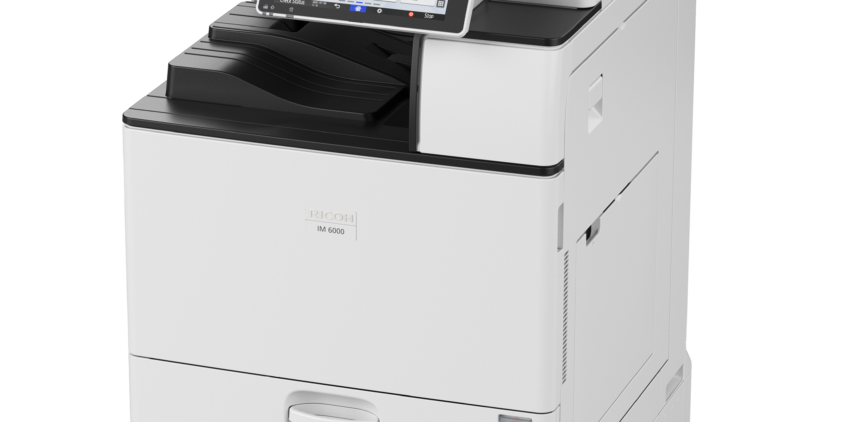
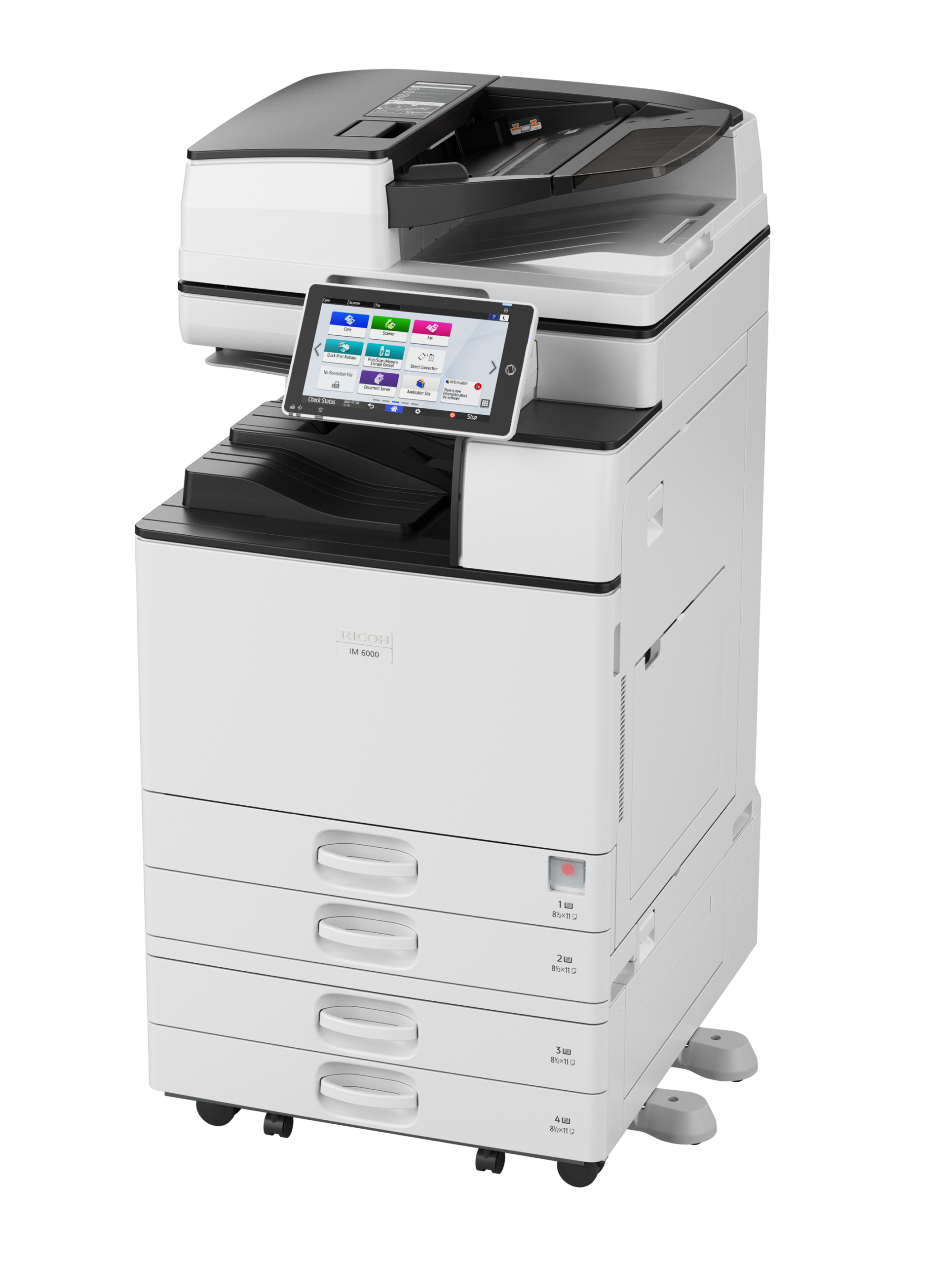
Ricoh IM 6000

image

Ricoh IM 6000

Add scalable intelligence efficiently and economically

  • Prints up to 60 ppm, copy, scan, fax (optional)
  • 1200×1200 dpi max print resolution
  • Paper capacity up to 4,700 pages
  • Enhance performance with smart apps and intelligent support

Up to 11×17″

60 PPM

Mono MFD

4,700 Paper Capacity

Automate tedious, time-consuming tasks
Use automation to simplify work in the modern office. Choose the optional cloud-based RICOH Smart Integration Solutions for convenient automated printing, scanning, copying and faxing workflows without adding capital expense, servers or software. Replace tedious manual tasks in schools, offices and agencies with faster, more efficient automated solutions — and scan, email and share files with unprecedented ease.

Add intelligent support, more uptime
Instant notifications alert you when service is needed. Expedite maintenance requests with the Service Request App. Use RemoteConnect Support and give technicians access to your Smart Operation Panel for fast, hassle-free remote troubleshooting. Or use the host of How-to-Videos, User Guides and other self-help tools from the control panel to do it yourself.

Boost performance, reduce delays
Use the IM 2500 in any classroom or office to print quickly, reliably and economically. Print speeds can reach up to 25 pages per minute (ppm) on up to 11″ x 17″ media. For digital delivery, use the 220-Sheet Single Pass Document Feeder (SPDF) to scan up to 240 images per minute (ipm). Deliver the files via a wide range of Scan-To capabilities. For optimal uptime, add optional Large Capacity Trays to expand paper capacity to 4,700 sheets.

Gain confidence with hands-free printing
The IM 2500 supports AirPrint® and Mopria® for fast, contactless printing without utilities, drivers or software. Or, print directly from your smartphone or tablet with the Ricoh Smart Device Connector app. Simply place your Android device near the embedded NFC tag, or scan the QR code with your iOS device, to begin. Then, print images, files and more — directly from your personal mobile device with hands-free ease.

Respond deftly, work quickly
Move from one task to the next with effortless convenience via the highly responsive 10.1″-wide Smart Operation Panel. Place apps and widgets prominently, so you can find often-used settings and functions quickly, including one-touch workflows. Use the embedded web browser to find online content, and store them in popular cloud storage services. Print or share that information in an instant via the sleek, highly-efficient touchscreen.

Finish professionally, impress consistently
Add a crisp and clean professional look to your next project with your choice of optional automated finishers. Use the 1,000-sheet staple or stapleless Hybrid Finisher, 1,000-sheet Booklet Finisher or 500-sheet Internal Finisher to stack, staple and punch presentations and classroom materials. Use the time-saving Multi-Folding Unit for four unique and stylish folding options, including Z-fold, Half Fold, Letter Fold-in and Letter Fold-out.

Printing Process Twin Laser beam scanning & electro-photographic printing
Control Panel 10.1″ Smart Operation Panel
Output Speed Copy/Print 60 ppm
First Page Out Time 2.3 seconds
Warm-Up Time 18.8 seconds
Resolution 600 x 600 dpi
System Memory 2 GB RAM
Maximum Copy Quantity Up to 999 copies
Duplexing Automatic (Standard)
Zoom Range From 25% to 400% in 1% steps
Supported Paper Sizes Tray 1 and 2: Letter, Legal, Ledger, HLT, A3-A6, B4-B6, Envelopes
Bypass tray: Letter, Legal, Ledger, HLT, A3-A6, B4-B6, Envelopes, Custom size
Supported Paper Weights Trays: 60 – 300 g/m2
Bypass: 52 – 300 g/m2
Duplex: 52 – 256 g/m2
Supported Paper Types Plain, Recycled, Special, Color, Letterhead, Cardstock, Preprinted, Bond, Coated, Envelope, Label, OHP
Standard Paper Capacity 1,200 sheets
Maximum Paper Capacity 4,700 sheets
Standard Output Capacity 500 sheets
Maximum Output Capacity 3,625 sheets
Power Source 120-127V/12A 60Hz
Typical Electricity Consumption (TEC) 0.72 kWh/week
Power Consumption Maximum: 1,600 W
Operation: 811 W
Ready: 62.2 W
Sleep: 0.54 W
EPEAT Status Gold
Dimensions W x D x H 23.1″ x 25.7″ x 37.9″ (587 x 673 x 963 mm)
Weight 168.6 lbs (76.5 kg)
Processor Speed Intel® Atom Processor Apollo Lake-I 1.36 GHz
Network Protocol TCP/IP (IP v4, IP v6)
Supported Operating Systems Windows® environments: Windows® 8.1, Windows® 10, Windows® Server 2012, Windows® Server 2012R2, Windows® Server 2016, Windows® Server 2019
Mac OS Environments: Macintosh OS X v10.13 or later
UNIX Environments: UNIX Sun® Solaris, HP-UX, SCO OpenServer, RedHat® Linux Enterprise, IBM® AIX, Citrix XenApp (7.6 LTSR, 7.15 LTSR, VirtualApps/Desktops 7 1912 LTSR and later)
SAP Environments: SAP® R/3®, SAP® S/4®
Other supported environments: AS/400® using OS/400 Host Print Transform
Printer Languages Standard: PCL5e, PCL6, PostScript 3 (emulation), PDF direct (emulation)
Optional: Genuine Adobe® PostScript® 3, IPDS, PDF Direct from Adobe®
Print Resolution 1,200 x 1,200 dpi
Mobile Printing Support Apple AirPrint, Mopria®, NFC, RICOH Smart Device Connector


RICOH Smart Integration Solutions Get your files to the right place, in the right format, with the right file name with document management workflow software. Compatible with Microsoft 365 SharePoint and OneDrive or Google Drive.
XM fax Secure, convenient digital fax from mobile, desktop or MFP
Read more

Ricoh IM 5000

image

Ricoh IM 5000

Boost productivity with smart multifunction performance

  • Prints up to 50 ppm, copy, scan, fax (optional)
  • 1200×1200 dpi max print resolution
  • Paper capacity up to 4,700 pages
  • Add new capabilities on demand to improve and sustain productivity

Up to 11×17″

50 PPM

Mono MFD

4,700 Paper Capacity

Automate tedious, time-consuming tasks
Use automation to simplify work in the modern office. Choose the optional cloud-based RICOH Smart Integration Solutions for convenient automated printing, scanning, copying and faxing workflows without adding capital expense, servers or software. Replace tedious manual tasks in schools, offices and agencies with faster, more efficient automated solutions — and scan, email and share files with unprecedented ease.

Add intelligent support, more uptime
Instant notifications alert you when service is needed. Expedite maintenance requests with the Service Request App. Use RemoteConnect Support and give technicians access to your Smart Operation Panel for fast, hassle-free remote troubleshooting. Or use the host of How-to-Videos, User Guides and other self-help tools from the control panel to do it yourself.

Boost performance, reduce delays
Use the IM 2500 in any classroom or office to print quickly, reliably and economically. Print speeds can reach up to 25 pages per minute (ppm) on up to 11″ x 17″ media. For digital delivery, use the 220-Sheet Single Pass Document Feeder (SPDF) to scan up to 240 images per minute (ipm). Deliver the files via a wide range of Scan-To capabilities. For optimal uptime, add optional Large Capacity Trays to expand paper capacity to 4,700 sheets.

Gain confidence with hands-free printing
The IM 2500 supports AirPrint® and Mopria® for fast, contactless printing without utilities, drivers or software. Or, print directly from your smartphone or tablet with the Ricoh Smart Device Connector app. Simply place your Android device near the embedded NFC tag, or scan the QR code with your iOS device, to begin. Then, print images, files and more — directly from your personal mobile device with hands-free ease.

Respond deftly, work quickly
Move from one task to the next with effortless convenience via the highly responsive 10.1″-wide Smart Operation Panel. Place apps and widgets prominently, so you can find often-used settings and functions quickly, including one-touch workflows. Use the embedded web browser to find online content, and store them in popular cloud storage services. Print or share that information in an instant via the sleek, highly-efficient touchscreen.

Finish professionally, impress consistently
Add a crisp and clean professional look to your next project with your choice of optional automated finishers. Use the 1,000-sheet staple or stapleless Hybrid Finisher, 1,000-sheet Booklet Finisher or 500-sheet Internal Finisher to stack, staple and punch presentations and classroom materials. Use the time-saving Multi-Folding Unit for four unique and stylish folding options, including Z-fold, Half Fold, Letter Fold-in and Letter Fold-out.

Printing Process Twin Laser beam Scanning & electro-photographic printing
Control Panel 10.1″ Smart Operation Panel
Output Speed Copy/Print 50 ppm
First Page Out Time 2.7 seconds
Warm-Up Time 19.1 seconds
Resolution 600 x 600 dpi
System Memory 2 GB RAM
Maximum Copy Quantity Up to 999 copies
Duplexing Automatic (Standard)
Zoom Range From 25% to 400% in 1% steps
Supported Paper Sizes Tray 1 and 2: Letter, Legal, Ledger, HLT, A3-A6, B4-B6, Envelopes
Bypass tray: Letter, Legal, Ledger, HLT, A3-A6, B4-B6, Envelopes, Custom size
Supported Paper Weights Trays: 60 – 300 g/m2
Bypass: 52 – 300 g/m2
Duplex: 52 – 256 g/m2
Supported Paper Types Plain, Recycled, Special, Color, Letterhead, Cardstock, Preprinted, Bond, Coated, Envelope, Label, OHP
Standard Paper Capacity 1,200 sheets
Maximum Paper Capacity 4,700 sheets
Standard Output Capacity 500 sheets
Maximum Output Capacity 3,625 sheets
Power Source 120-127V/12A 60Hz
Typical Electricity Consumption (TEC) 0.61 kWh/week
Power Consumption Maximum: 1,600 W
Operation: 755 W
Ready: 62.2 W
Sleep: 0.54 W
EPEAT Status Gold
Dimensions W x D x H 23.1″ x 25.7″ x 37.9″ (587 x 673 x 963 mm)
Weight 168.6 lbs (76.5 kg)
Processor Speed Intel® Atom Processor Apollo Lake-I 1.36 GHz
Network Protocol TCP/IP (IP v4, IP v6)
Supported Operating Systems Windows® environments: Windows® 8.1, Windows® 10, Windows® Server 2012, Windows® Server 2012R2, Windows® Server 2016, Windows® Server 2019
Mac OS Environments: Macintosh OS X v10.13 or later
UNIX Environments: UNIX Sun® Solaris, HP-UX, SCO OpenServer, RedHat® Linux Enterprise, IBM® AIX, Citrix XenApp (7.6 LTSR, 7.15 LTSR, VirtualApps/Desktops 7 1912 LTSR and later)
SAP Environments: SAP® R/3®, SAP® S/4®
Other supported environments: AS/400® using OS/400 Host Print Transform
Printer Languages Standard: PCL5e, PCL6, PostScript 3 (emulation), PDF direct (emulation)
Optional: Genuine Adobe® PostScript® 3, IPDS, PDF Direct from Adobe®
Print Resolution 1,200 x 1,200 dpi
Mobile Printing Support Apple AirPrint, Mopria®, NFC, RICOH Smart Device Connector


RICOH Smart Integration Solutions Get your files to the right place, in the right format, with the right file name with document management workflow software. Compatible with Microsoft 365 SharePoint and OneDrive or Google Drive.
XM fax Secure, convenient digital fax from mobile, desktop or MFP
Read more

Ricoh IM 4000

image

Ricoh IM 4000

Boost productivity with smart multifunction performance

  • Prints up to 40 ppm, copy, scan, fax (optional)
  • 1200×1200 dpi max print resolution
  • Paper capacity up to 4,700 pages
  • Simplify tasks and expedite workflows with on-demand apps

Up to 11×17″

40 PPM

Mono MFD

4,700 Paper Capacity

Automate tedious, time-consuming tasks
Use automation to simplify work in the modern office. Choose the optional cloud-based RICOH Smart Integration Solutions for convenient automated printing, scanning, copying and faxing workflows without adding capital expense, servers or software. Replace tedious manual tasks in schools, offices and agencies with faster, more efficient automated solutions — and scan, email and share files with unprecedented ease.

Add intelligent support, more uptime
Instant notifications alert you when service is needed. Expedite maintenance requests with the Service Request App. Use RemoteConnect Support and give technicians access to your Smart Operation Panel for fast, hassle-free remote troubleshooting. Or use the host of How-to-Videos, User Guides and other self-help tools from the control panel to do it yourself.

Boost performance, reduce delays
Use the IM 2500 in any classroom or office to print quickly, reliably and economically. Print speeds can reach up to 25 pages per minute (ppm) on up to 11″ x 17″ media. For digital delivery, use the 220-Sheet Single Pass Document Feeder (SPDF) to scan up to 240 images per minute (ipm). Deliver the files via a wide range of Scan-To capabilities. For optimal uptime, add optional Large Capacity Trays to expand paper capacity to 4,700 sheets.

Gain confidence with hands-free printing
The IM 2500 supports AirPrint® and Mopria® for fast, contactless printing without utilities, drivers or software. Or, print directly from your smartphone or tablet with the Ricoh Smart Device Connector app. Simply place your Android device near the embedded NFC tag, or scan the QR code with your iOS device, to begin. Then, print images, files and more — directly from your personal mobile device with hands-free ease.

Respond deftly, work quickly
Move from one task to the next with effortless convenience via the highly responsive 10.1″-wide Smart Operation Panel. Place apps and widgets prominently, so you can find often-used settings and functions quickly, including one-touch workflows. Use the embedded web browser to find online content, and store them in popular cloud storage services. Print or share that information in an instant via the sleek, highly-efficient touchscreen.

Finish professionally, impress consistently
Add a crisp and clean professional look to your next project with your choice of optional automated finishers. Use the 1,000-sheet staple or stapleless Hybrid Finisher, 1,000-sheet Booklet Finisher or 500-sheet Internal Finisher to stack, staple and punch presentations and classroom materials. Use the time-saving Multi-Folding Unit for four unique and stylish folding options, including Z-fold, Half Fold, Letter Fold-in and Letter Fold-out.

Printing Process Twin Laser beam Scanning & electro-photographic printing
Control Panel 10.1″ Smart Operation Panel
Output Speed Copy/Print 40 ppm
First Page Out Time 3.6 seconds
Warm-Up Time 17.9 seconds
Resolution 600 x 600 dpi
System Memory 2 GB RAM
Maximum Copy Quantity Up to 999 copies
Duplexing Automatic (Standard)
Zoom Range From 25% to 400% in 1% steps
Supported Paper Sizes Tray 1 and 2: Letter, Legal, Ledger, HLT, A3-A6, B4-B6, Envelopes
Bypass tray: Letter, Legal, Ledger, HLT, A3-A6, B4-B6, Envelopes, Custom size
Supported Paper Weights Trays: 60 – 300 g/m2
Bypass: 52 – 300 g/m2
Duplex: 52 – 256 g/m2
Supported Paper Types Plain, Recycled, Special, Color, Letterhead, Cardstock, Preprinted, Bond, Coated, Envelope, Label, OHP
Standard Paper Capacity 1,200 sheets
Maximum Paper Capacity 4,700 sheets
Standard Output Capacity 500 sheets
Maximum Output Capacity 3,625 sheets
Power Source 120-127V/12A 60Hz
Typical Electricity Consumption (TEC) 0.45 kWh/week
Power Consumption Maximum: 1,600 W
Operation: 584 W
Ready: 62.2 W
Sleep: 0.54 W
EPEAT Status Gold
Dimensions W x D x H 23.1″ x 25.7″ x 37.9″ (587 x 673 x 963 mm)
Weight 168.6 lbs (76.5 kg)
Processor Speed Intel® Atom Processor Apollo Lake-I 1.36 GHz
Network Protocol TCP/IP (IP v4, IP v6)
Supported Operating Systems Windows® environments: Windows® 8.1, Windows® 10, Windows® Server 2012, Windows® Server 2012R2, Windows® Server 2016, Windows® Server 2019
Mac OS Environments: Macintosh OS X v10.13 or later
UNIX Environments: UNIX Sun® Solaris, HP-UX, SCO OpenServer, RedHat® Linux Enterprise, IBM® AIX, Citrix XenApp (7.6 LTSR, 7.15 LTSR, VirtualApps/Desktops 7 1912 LTSR and later)
SAP Environments: SAP® R/3®, SAP® S/4®
Other supported environments: AS/400® using OS/400 Host Print Transform
Printer Languages Standard: PCL5e, PCL6, PostScript 3 (emulation), PDF direct (emulation)
Optional: Genuine Adobe® PostScript® 3, IPDS, PDF Direct from Adobe®
Print Resolution 1,200 x 1,200 dpi
Mobile Printing Support Apple AirPrint, Mopria®, NFC, RICOH Smart Device Connector

RICOH Smart Integration Solutions Get your files to the right place, in the right format, with the right file name with document management workflow software. Compatible with Microsoft 365 SharePoint and OneDrive or Google Drive.
XM fax Secure, convenient digital fax from mobile, desktop or MFP
Read more

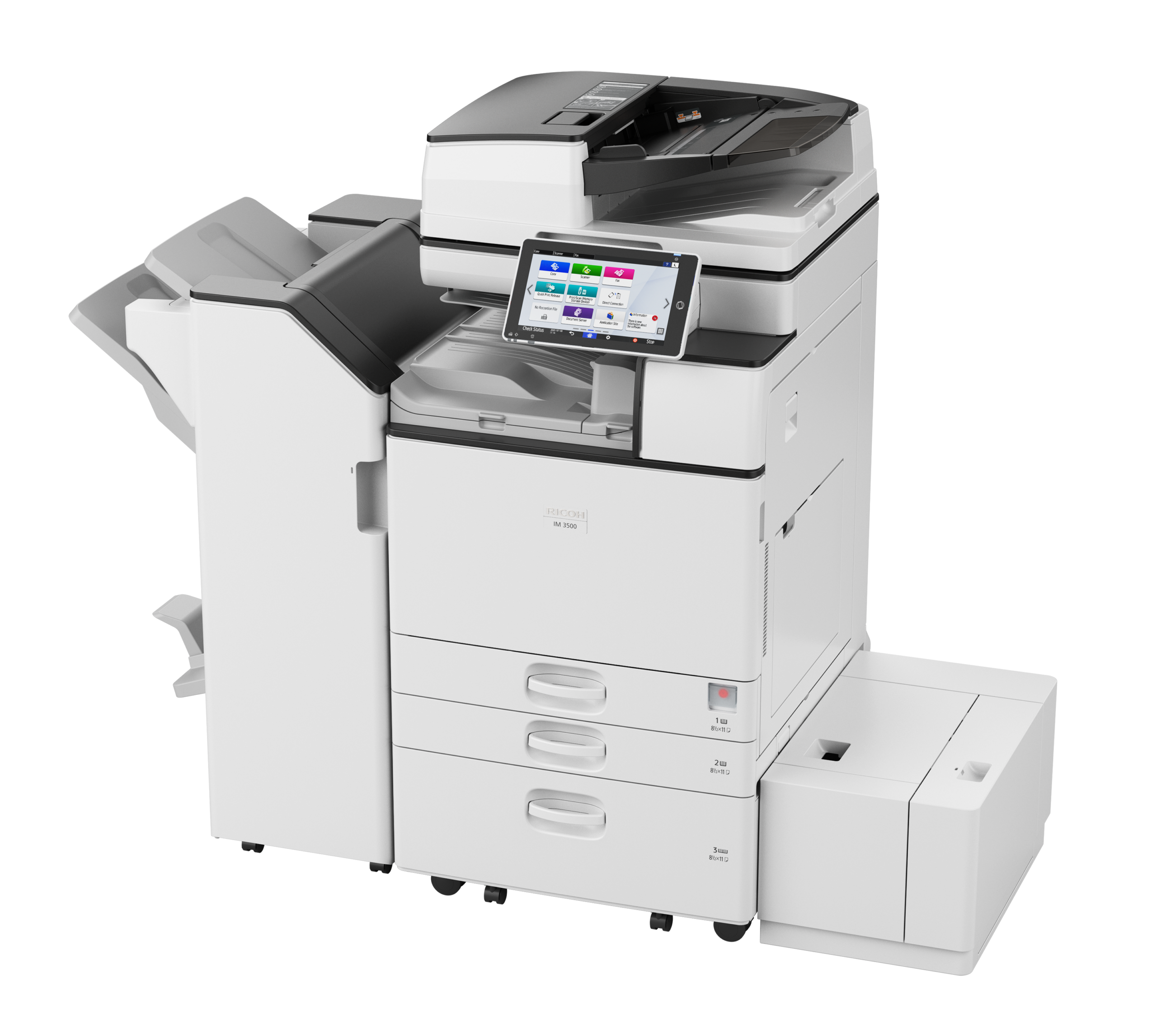
Ricoh IM 3500

image

Ricoh IM 3500

Add scalable intelligence efficiently and economically

  • Prints up to 35 ppm, copy, scan, fax (optional)
  • 1200×1200 dpi max print resolution
  • Paper capacity up to 4,700 pages
  • Add new capabilities on demand to improve and sustain productivity

Up to 11×17″

35 PPM

Mono MFD

4,700 Paper Capacity

Automate tedious, time-consuming tasks
Use automation to simplify work in the modern office. Choose the optional cloud-based RICOH Smart Integration Solutions for convenient automated printing, scanning, copying and faxing workflows without adding capital expense, servers or software. Replace tedious manual tasks in schools, offices and agencies with faster, more efficient automated solutions — and scan, email and share files with unprecedented ease.

Add intelligent support, more uptime
Instant notifications alert you when service is needed. Expedite maintenance requests with the Service Request App. Use RemoteConnect Support and give technicians access to your Smart Operation Panel for fast, hassle-free remote troubleshooting. Or use the host of How-to-Videos, User Guides and other self-help tools from the control panel to do it yourself.

Boost performance, reduce delays
Use the IM 2500 in any classroom or office to print quickly, reliably and economically. Print speeds can reach up to 25 pages per minute (ppm) on up to 11″ x 17″ media. For digital delivery, use the 220-Sheet Single Pass Document Feeder (SPDF) to scan up to 240 images per minute (ipm). Deliver the files via a wide range of Scan-To capabilities. For optimal uptime, add optional Large Capacity Trays to expand paper capacity to 4,700 sheets.

Gain confidence with hands-free printing
The IM 2500 supports AirPrint® and Mopria® for fast, contactless printing without utilities, drivers or software. Or, print directly from your smartphone or tablet with the Ricoh Smart Device Connector app. Simply place your Android device near the embedded NFC tag, or scan the QR code with your iOS device, to begin. Then, print images, files and more — directly from your personal mobile device with hands-free ease.

Respond deftly, work quickly
Move from one task to the next with effortless convenience via the highly responsive 10.1″-wide Smart Operation Panel. Place apps and widgets prominently, so you can find often-used settings and functions quickly, including one-touch workflows. Use the embedded web browser to find online content, and store them in popular cloud storage services. Print or share that information in an instant via the sleek, highly-efficient touchscreen.

Finish professionally, impress consistently
Add a crisp and clean professional look to your next project with your choice of optional automated finishers. Use the 1,000-sheet staple or stapleless Hybrid Finisher, 1,000-sheet Booklet Finisher or 500-sheet Internal Finisher to stack, staple and punch presentations and classroom materials. Use the time-saving Multi-Folding Unit for four unique and stylish folding options, including Z-fold, Half Fold, Letter Fold-in and Letter Fold-out.

Printing Process Single Laser beam scanning & electro-photographic printing
Control Panel 10.1″ Smart Operation Panel
Output Speed Copy/Print 35 ppm
First Page Out Time 3.8 seconds
Warm-Up Time 18.6 seconds
Resolution 600 x 600 dpi
System Memory 2 GB RAM
Maximum Copy Quantity Up to 999 copies
Duplexing Automatic (Standard)
Single Pass Document Feeder (SPDF) 220 sheets
Zoom Range From 25% to 400% in 1% steps
Supported Paper Sizes Tray 1 and 2: Letter, Legal, Ledger, HLT, A3-A6, B4-B6, Envelopes
Bypass tray: Letter, Legal, Ledger, HLT, A3-A6, B4-B6, Envelopes, Custom size
Supported Paper Weights Trays: 60 – 300 g/m2
Bypass: 52 – 300 g/m2
Duplex: 52- 256 g/m2
Supported Paper Types Plain, Recycled, Special, Color, Letterhead, Cardstock, Preprinted, Bond, Coated, Envelope, Label, OHP
Standard Paper Capacity 1,200 sheets
Maximum Paper Capacity 4,700 sheets
Standard Output Capacity 500 sheets
Maximum Output Capacity 1,625 sheets
Power Source 120-127V/12A 60Hz
Typical Electricity Consumption (TEC) 0.41 kWh/week
Power Consumption Maximum: 1,600 W
Operation: 536 W
Ready: 57.0 W
Sleep: 0.53 W
EPEAT Status Gold
Dimensions W x D x H 23.1″ x 25.7″ x 37.9″ (587 x 673 x 963 mm)
Weight 168.6 lbs (76.5 kg)
Processor Speed Intel® Atom Processor Apollo Lake-I 1.36 GHz
Network Protocol TCP/IP (IP v4, IP v6)
Supported Operating Systems Windows® environments: Windows® 8.1, Windows® 10, Windows® Server 2012, Windows® Server 2012R2, Windows® Server 2016, Windows® Server 2019
Mac OS Environments: Macintosh OS X v10.13 or later
UNIX Environments: UNIX Sun® Solaris, HP-UX, SCO OpenServer, RedHat® Linux Enterprise, IBM® AIX, Citrix XenApp (7.6 LTSR, 7.15 LTSR, VirtualApps/Desktops 7 1912 LTSR and later)
SAP Environments: SAP® R/3®, SAP® S/4®
Other supported environments: AS/400® using OS/400 Host Print Transform
Printer Languages Standard: PCL5e, PCL6, PostScript 3 (emulation), PDF direct (emulation)
Optional: Genuine Adobe® PostScript® 3, IPDS, PDF Direct from Adobe®
Print Resolution 1,200 x 1,200 dpi
Mobile Printing Support Apple AirPrint, Mopria®, NFC, RICOH Smart Device Connector


RICOH Smart Integration Solutions Get your files to the right place, in the right format, with the right file name with document management workflow software. Compatible with Microsoft 365 SharePoint and OneDrive or Google Drive.
XM fax Secure, convenient digital fax from mobile, desktop or MFP
Read more

Ricoh IM 2500

image

Ricoh IM 2500

Add scalable intelligence efficiently and economically
  • Prints up to 25 ppm, copy, scan, fax (optional)
  • 1200×1200 dpi max print resolution
  • Paper capacity up to 4,700 pages
  • Add new capabilities on demand to improve and sustain productivity

Up to 11×17″

25 PPM

Mono MFD

4,700 Paper Capacity

Automate tedious, time-consuming tasks
Use automation to simplify work in the modern office. Choose the optional cloud-based RICOH Smart Integration Solutions for convenient automated printing, scanning, copying and faxing workflows without adding capital expense, servers or software. Replace tedious manual tasks in schools, offices and agencies with faster, more efficient automated solutions — and scan, email and share files with unprecedented ease.

Add intelligent support, more uptime
Instant notifications alert you when service is needed. Expedite maintenance requests with the Service Request App. Use RemoteConnect Support and give technicians access to your Smart Operation Panel for fast, hassle-free remote troubleshooting. Or use the host of How-to-Videos, User Guides and other self-help tools from the control panel to do it yourself.

Boost performance, reduce delays
Use the IM 2500 in any classroom or office to print quickly, reliably and economically. Print speeds can reach up to 25 pages per minute (ppm) on up to 11″ x 17″ media. For digital delivery, use the 220-Sheet Single Pass Document Feeder (SPDF) to scan up to 240 images per minute (ipm). Deliver the files via a wide range of Scan-To capabilities. For optimal uptime, add optional Large Capacity Trays to expand paper capacity to 4,700 sheets.

Gain confidence with hands-free printing
The IM 2500 supports AirPrint® and Mopria® for fast, contactless printing without utilities, drivers or software. Or, print directly from your smartphone or tablet with the Ricoh Smart Device Connector app. Simply place your Android device near the embedded NFC tag, or scan the QR code with your iOS device, to begin. Then, print images, files and more — directly from your personal mobile device with hands-free ease.

Respond deftly, work quickly
Move from one task to the next with effortless convenience via the highly responsive 10.1″-wide Smart Operation Panel. Place apps and widgets prominently, so you can find often-used settings and functions quickly, including one-touch workflows. Use the embedded web browser to find online content, and store them in popular cloud storage services. Print or share that information in an instant via the sleek, highly-efficient touchscreen.

Finish professionally, impress consistently
Add a crisp and clean professional look to your next project with your choice of optional automated finishers. Use the 1,000-sheet staple or stapleless Hybrid Finisher, 1,000-sheet Booklet Finisher or 500-sheet Internal Finisher to stack, staple and punch presentations and classroom materials. Use the time-saving Multi-Folding Unit for four unique and stylish folding options, including Z-fold, Half Fold, Letter Fold-in and Letter Fold-out.

Printing Process Single Laser beam scanning & electro-photographic printing
Control Panel 10.1″ Smart Operation Panel
Output Speed Copy/Print 25 ppm
First Page Out Time 4.1 seconds
Warm-Up Time 18 seconds
Resolution 600 x 600 dpi
System Memory 2 GB RAM
Maximum Copy Quantity Up to 999 copies
Duplexing Automatic (Standard)
Zoom Range From 25% to 400% in 1% steps
Supported Paper Sizes Tray 1 and 2: Letter, Legal, Ledger, HLT, A3-A6, B4-B6, Envelopes
Bypass tray: Letter, Legal, Ledger, HLT, A3-A6, B4-B6, Envelopes, Custom size
Supported Paper Weights Trays: 60 – 300 g/m2
Bypass: 52 – 300 g/m2
Duplex: 52 – 256 g/m2
Supported Paper Types Plain, Recycled, Special, Color, Letterhead, Cardstock, Preprinted, Bond, Coated, Envelope, Label, OHP
Standard Paper Capacity 1,200 sheets
Maximum Paper Capacity 4,700 sheets
Standard Output Capacity 500 sheets
Maximum Output Capacity 1,625 sheets
Power Source 120 -127V/12A 60Hz
Typical Electricity Consumption (TEC) 0.29kWh/week
Power Consumption Maximum: 1,600 W
Operation: 437 W
Ready: 57.0 W
Sleep: 0.54 W
EPEAT Status Gold
Dimensions W x D x H 23.1″ x 25.7″ x 37.9″ (587 x 673 x 963 mm)
Weight 168.6 lbs (76.5 kg)
Processor Speed Intel® Atom Processor Apollo Lake-I 1.36 GHz
Network Protocol TCP/IP (IP v4, IP v6)
Supported Operating Systems Windows® environments: Windows® 8.1, Windows® 10, Windows® Server 2012, Windows® Server 2012R2, Windows® Server 2016, Windows® Server 2019
Mac OS Environments: Macintosh OS X v10.13 or later
UNIX Environments: UNIX Sun® Solaris, HP-UX, SCO OpenServer, RedHat® Linux Enterprise, IBM® AIX, Citrix XenApp (7.6 LTSR, 7.15 LTSR, VirtualApps/Desktops 7 1912 LTSR and later)
SAP Environments: SAP® R/3®, SAP® S/4®
Other supported environments: AS/400® using OS/400 Host Print Transform
Printer Languages Standard: PCL5e, PCL6, PostScript 3 (emulation), PDF direct (emulation)
Optional: Genuine Adobe® PostScript® 3, IPDS, PDF Direct from Adobe®
Print Resolution 1,200 x 1,200 dpi
Mobile Printing Support Apple AirPrint, Mopria®, NFC, RICOH Smart Device Connector


RICOH Smart Integration Solutions Get your files to the right place, in the right format, with the right file name with document management workflow software. Compatible with Microsoft 365 SharePoint and OneDrive or Google Drive.
XM fax Secure, convenient digital fax from mobile, desktop or MFP
Read more

Toshiba e-Studio 9029A

image

Toshiba e-STUDIO 9029A

The perfect choice for today’s modern work environments
    • Print faster with speeds up to 90 pages per minute
    • Automate workflows with a tablet-style touch screen
    • Accelerate tasks with high-performing technology
    • Personalize user interface by team for efficiency

Up to 11×17″

90 PPM

Mono MFD

3,520-8,020 paper capacity

Dual Scan Document Feeder
Available with Double Feed Detection – Scans up to 240 IPM; holds up to 300 originals (refillable)

10.1” Tiltable Front Panel
Makes programming jobs easier than ever – even for wheelchair users – and is Section 508 friendly

Card Reader Pocket
Provides increased security and enables controlled access to MFP

65-Sheet Stapling Finishers and an output capacity of up to 3,000 pages
Enables bigger jobs

Saddle Stitch Finishing
Enables up to 60-page booklets, and unique avalanche tray increases exit capacity

Soft Closing Drawers
Automatically pull drawer closed when initiated and provide a luxury experience

Integral Tandem LCF
Gives base unit 3,520 sheet supply while refillable design allows users to add paper while MFP is in use

2,500-Sheet External LCF
Boosts paper capacity to 6,020 sheets

Unique Piggyback LCF
Raises capacity to an amazing 8,020 sheets for the most demanding environments

Copy Process Indirect Electrostatic Photographic Method/OPC/Laser Printing/Heat Roller Fusing
Display 10.1” Color WSVGA Touch Screen Tilting Display
Copy Speed 90 PPM
First Copy Out Less Than 4.1 Seconds
Warm-Up Time Approx. 25 Seconds
Copy Resolution 600 x 600 dpi
Stack Feed Bypass 3.9” x 5.8” to 13” x 19”, 12” x 47” Banner, Envelope
Multiple Copying Up to 999 Copies
Paper Capacity Standard 3,520 Sheets/Max. 8,020 Sheets
Original Feed Standard 300-Sheet DSDF with Double Feed Detection
Scan Speed & Weights DSDF Scan: Up to 70 IPM (Monochrome or Color), Simplex or Duplex: 9.3-110 lb Bond
RADF Scan: Up to 50 IPM (Monochrome or Color), Simplex: 9.3-41.8 lb Bond, Duplex: 13.3-41.8 lb Bond
Max. Original Size LD
Paper Feed Sizes Drawers: 540 Sheets-ST-R to 12” x 18” Stack Feed Bypass: 120 Sheets-3.9” x 5.8” to 13” x 19”, 12” x 47” Banner 2,500-Sheet Ext. LCF LT-Only 2,000-Sheet Ext. Piggyback LCF LT-Only
Paper Weights 540 Sheets x 4: 16 lb Bond-140 lb Index, Stack Feed Bypass: 120 Sheets-16 lb Bond-110 lb Cover, Opt. 2,500-Sheet Ext. LCF: LT-Only -16 lb Bond-140 lb Index Opt. 2,000-Sheet Ext. Piggyback LCF: LT-Only -16 lb Bond-140 lb Index
Duplex Standard Automatic Duplex Unit (16 lb Bond-140 lb Index)
Reproduction Ratio 25% to 400%
Max Duty Cycle Max. 740K Month
Weight Approx. 430 lb
Approx. Dimensions 37.6” (W) x 27.5” (D) x 48.3” (H)
Toner Yield 106.6K @ 5%
Power Source 120 Volts, 50/60 Hz, 16 Amps
Power Consumption Maximum 2.0kW (120V)
Plug Type NEMA 5/20
Memory 6GB
Hard Disk Drive 128GB Solid State Drive (SSD)

PDL
PCL5e, PCL5c, PCL6 (PCL XL), PS3, PDF, XPS, JPEG

Print Resolution
600 x 600 dpi, 1,200 x 1,200 dpi or
3,600 (Equivalence) x 1,200 dpi (with Smoothing) (PS3 Only)

Operating Systems
Windows® 8.1,10, 11, Windows Server® 2012/R2, Windows Server® 2016/19/22, Macintosh® (macOS X 10.10-15, 12), Unix®, Linux®

Network Protocols
TCP/IP (IPv4, IPv6), NetBIOS over TCP/IP, IPX/SPX® for Novell® Environments, EtherTalk for Macintosh Environments

Printing Protocols
SMB V1-3, LPR/LPD, IPP V1.2 w/Authentication (TLS 1.2/1.3), AppleTalk® PAP or EtherTalk, Port 9100 (Bi-Directional), NetWare P-SERVER LPD
w/iPrint, Bluetooth (HCRP/BIP/OPP/FTP), WS Print, FTP

Print Drivers
Windows® 8.1 (32-bit, 64-bit), Windows Server® 2012/R2 (64-bit), Windows Server® 2016/19/22, Windows® 10, 11 (64-bit),
macOS X 10.12-15, 11, 12

Interface
RJ-45 Ethernet (10/100/1000 Base-T), USB 2.0 (High-Speed)
Optional IEEE802.11b/g/n, Wireless LAN, Optional Bluetooth

Wireless Device
AirPrint®, Mopria®, e-BRIDGE Print & Capture Application on iOS and Android (Available via Apple® App Store or Google Play)

Device Management
TopAccess

Account Control
Up to 10,000 Users or 1,000 Departments Supports User Authentication (on Device), Login Name/Password (via Windows® Domain) or Login Name/Password (via LDAP Server) for Copy, Print, Scan, Fax, List, and User Function

Accessibility Features
Tilt Front Panel, Job Programs, Universal Grip for Paper Trays, Disable Screen Timeout, Audible Beeps, Optional Voice Assist

Security Features
User Authentication, Trusted Platform Module, On-Board Data Scramble Function, SCEP, Disable, e-Filing, Disable Copy, Disk Overwrite* , IP Address Filtering (10 Sets), MAC Address Filtering (10 Sets), Network Service Control, Network Port Control, SMB Packet Signing, SSL/TLS (HTTP, IPP, LDAP, SMTP, POP, FTP, DPWS, SYSLOG), IPsec (IKEv1, IKEv2), Security Mode Change, CC Certified (ISO/IEC15408)* with HCD-PP v1.0, IEEE802.1X (Wired/Wireless), Digital Signature for Client Utilities, Password Policy, Password Lock, Password Expiration, Self Testing, Job Access Control, Log Access Control for Job Log, Security Stamp, Role Based Access Control, Secure PDF, Digital Signature for Firmware Update, Integrity Check Function, Image Log, Card Authentication, Biometric Authentication *Conformance with HCD-PPv1.0 in High Security Mode

Environmental Standards
ENERGY STAR® (V3.1), EPEAT Gold, Californian Proposition 65
Certifications WHQL (Windows® 8, 8.1, 10, 11, 2012, 2012 R2, 2016/19/22), Novell®, Citrix®, SAP, AirPrint® and Mopria®

E-Bridge Cloud Extension Apps Make use of Toshiba’s add-on extensions to scan with the equipment directly into your cloud environment. Compatible with Microsoft 365 SharePoint and OneDrive or Google Drive.
e-Bridge Cloud Print Securely print your documents from anywhere. (Microsoft 365 or Google account required)
Elevate Sky Service dealer remote device troubleshooting.
Elevate Sky Translate Translate documents instantly from Toshiba MFPs with AI-powered precision—seamless multilingual communication made simple.​
Read more

Toshiba e-Studio 7529A

image

Toshiba e-STUDIO 7529A

The perfect choice for today’s modern work environments.
    • Print faster with speeds up to 75 pages per minute
    • Automate workflows with a tablet-style touch screen
    • Accelerate tasks with high-performing technology
    • Personalize user interface by team for efficiency

Up to 11×17″

75 PPM

Mono MFD

3,520-8,020 paper capacity

Dual Scan Document Feeder
Available with Double Feed Detection – Scans up to 240 IPM; holds up to 300 originals (refillable)

10.1” Tiltable Front Panel
Makes programming jobs easier than ever – even for wheelchair users – and is Section 508 friendly

Card Reader Pocket
Provides increased security and enables controlled access to MFP

65-Sheet Stapling Finishers and an output capacity of up to 3,000 pages
Enables bigger jobs

Saddle Stitch Finishing
Enables up to 60-page booklets, and unique avalanche tray increases exit capacity

Soft Closing Drawers
Automatically pull drawer closed when initiated and provide a luxury experience

Integral Tandem LCF
Gives base unit 3,520 sheet supply while refillable design allows users to add paper while MFP is in use

2,500-Sheet External LCF
Boosts paper capacity to 6,020 sheets

Unique Piggyback LCF
Raises capacity to an amazing 8,020 sheets for the most demanding environments

Copy Process Indirect Electrostatic Photographic Method/OPC/Laser Printing/Heat Roller Fusing
Display 10.1” Color WSVGA Touch Screen Tilting Display
Copy Speed 75 PPM
First Copy Out Less Than 4.5 Seconds
Warm-Up Time Approx. 24 Seconds
Copy Resolution 600 x 600 dpi
Stack Feed Bypass 3.9” x 5.8” to 13” x 19”, 12” x 47” Banner, Envelope
Multiple Copying Up to 999 Copies
Paper Capacity Standard 3,520 Sheets/Max. 8,020 Sheets
Original Feed Standard 300-Sheet DSDF with Double Feed Detection
Scan Speed & Weights DSDF Scan: Up to 70 IPM (Monochrome or Color), Simplex or Duplex: 9.3-110 lb Bond
RADF Scan: Up to 50 IPM (Monochrome or Color), Simplex: 9.3-41.8 lb Bond, Duplex: 13.3-41.8 lb Bond
Max. Original Size LD
Paper Feed Sizes Drawers: 540 Sheets-ST-R to 12” x 18” Stack Feed Bypass: 120 Sheets-3.9” x 5.8” to 13” x 19”, 12” x 47” Banner 2,500-Sheet Ext. LCF LT-Only 2,000-Sheet Ext. Piggyback LCF LT-Only
Paper Weights 540 Sheets x 4: 16 lb Bond-140 lb Index, Stack Feed Bypass: 120 Sheets-16 lb Bond-110 lb Cover, Opt. 2,500-Sheet Ext. LCF: LT-Only -16 lb Bond-140 lb Index Opt. 2,000-Sheet Ext. Piggyback LCF: LT-Only -16 lb Bond-140 lb Index
Duplex Standard Automatic Duplex Unit (16 lb Bond-140 lb Index)
Reproduction Ratio 25% to 400%
Max Duty Cycle Max. 660K Month
Weight Approx. 430 lb
Approx. Dimensions 37.6” (W) x 27.5” (D) x 48.3” (H)
Toner Yield 106.6K @ 5%
Power Source 120 Volts, 50/60 Hz, 16 Amps
Power Consumption Maximum 2.0kW (120V)
Plug Type NEMA 5/20
Memory 6GB
Hard Disk Drive 128GB Solid State Drive (SSD)

PDL
PCL5e, PCL5c, PCL6 (PCL XL), PS3, PDF, XPS, JPEG

Print Resolution
600 x 600 dpi, 1,200 x 1,200 dpi or
3,600 (Equivalence) x 1,200 dpi (with Smoothing) (PS3 Only)

Operating Systems
Windows® 8.1,10, 11, Windows Server® 2012/R2, Windows Server® 2016/19/22, Macintosh® (macOS X 10.10-15, 12), Unix®, Linux®

Network Protocols
TCP/IP (IPv4, IPv6), NetBIOS over TCP/IP, IPX/SPX® for Novell® Environments, EtherTalk for Macintosh Environments

Printing Protocols
SMB V1-3, LPR/LPD, IPP V1.2 w/Authentication (TLS 1.2/1.3), AppleTalk® PAP or EtherTalk, Port 9100 (Bi-Directional), NetWare P-SERVER LPD
w/iPrint, Bluetooth (HCRP/BIP/OPP/FTP), WS Print, FTP

Print Drivers
Windows® 8.1 (32-bit, 64-bit), Windows Server® 2012/R2 (64-bit), Windows Server® 2016/19/22, Windows® 10, 11 (64-bit),
macOS X 10.12-15, 11, 12

Interface
RJ-45 Ethernet (10/100/1000 Base-T), USB 2.0 (High-Speed)
Optional IEEE802.11b/g/n, Wireless LAN, Optional Bluetooth

Wireless Device
AirPrint®, Mopria®, e-BRIDGE Print & Capture Application on iOS and Android (Available via Apple® App Store or Google Play)

Device Management
TopAccess

Account Control
Up to 10,000 Users or 1,000 Departments Supports User Authentication (on Device), Login Name/Password (via Windows® Domain) or Login Name/Password (via LDAP Server) for Copy, Print, Scan, Fax, List, and User Function

Accessibility Features
Tilt Front Panel, Job Programs, Universal Grip for Paper Trays, Disable Screen Timeout, Audible Beeps, Optional Voice Assist

Security Features
User Authentication, Trusted Platform Module, On-Board Data Scramble Function, SCEP, Disable, e-Filing, Disable Copy, Disk Overwrite* , IP Address Filtering (10 Sets), MAC Address Filtering (10 Sets), Network Service Control, Network Port Control, SMB Packet Signing, SSL/TLS (HTTP, IPP, LDAP, SMTP, POP, FTP, DPWS, SYSLOG), IPsec (IKEv1, IKEv2), Security Mode Change, CC Certified (ISO/IEC15408)* with HCD-PP v1.0, IEEE802.1X (Wired/Wireless), Digital Signature for Client Utilities, Password Policy, Password Lock, Password Expiration, Self Testing, Job Access Control, Log Access Control for Job Log, Security Stamp, Role Based Access Control, Secure PDF, Digital Signature for Firmware Update, Integrity Check Function, Image Log, Card Authentication, Biometric Authentication *Conformance with HCD-PPv1.0 in High Security Mode

Environmental Standards
ENERGY STAR® (V3.1), EPEAT Gold, Californian Proposition 65
Certifications WHQL (Windows® 8, 8.1, 10, 11, 2012, 2012 R2, 2016/19/22), Novell®, Citrix®, SAP, AirPrint® and Mopria®

E-Bridge Cloud Extension Apps Make use of Toshiba’s add-on extensions to scan with the equipment directly into your cloud environment. Compatible with Microsoft 365 SharePoint and OneDrive or Google Drive.
e-Bridge Cloud Print Securely print your documents from anywhere. (Microsoft 365 or Google account required)
Elevate Sky Service dealer remote device troubleshooting.
Elevate Sky Translate Translate documents instantly from Toshiba MFPs with AI-powered precision—seamless multilingual communication made simple.​
Read more

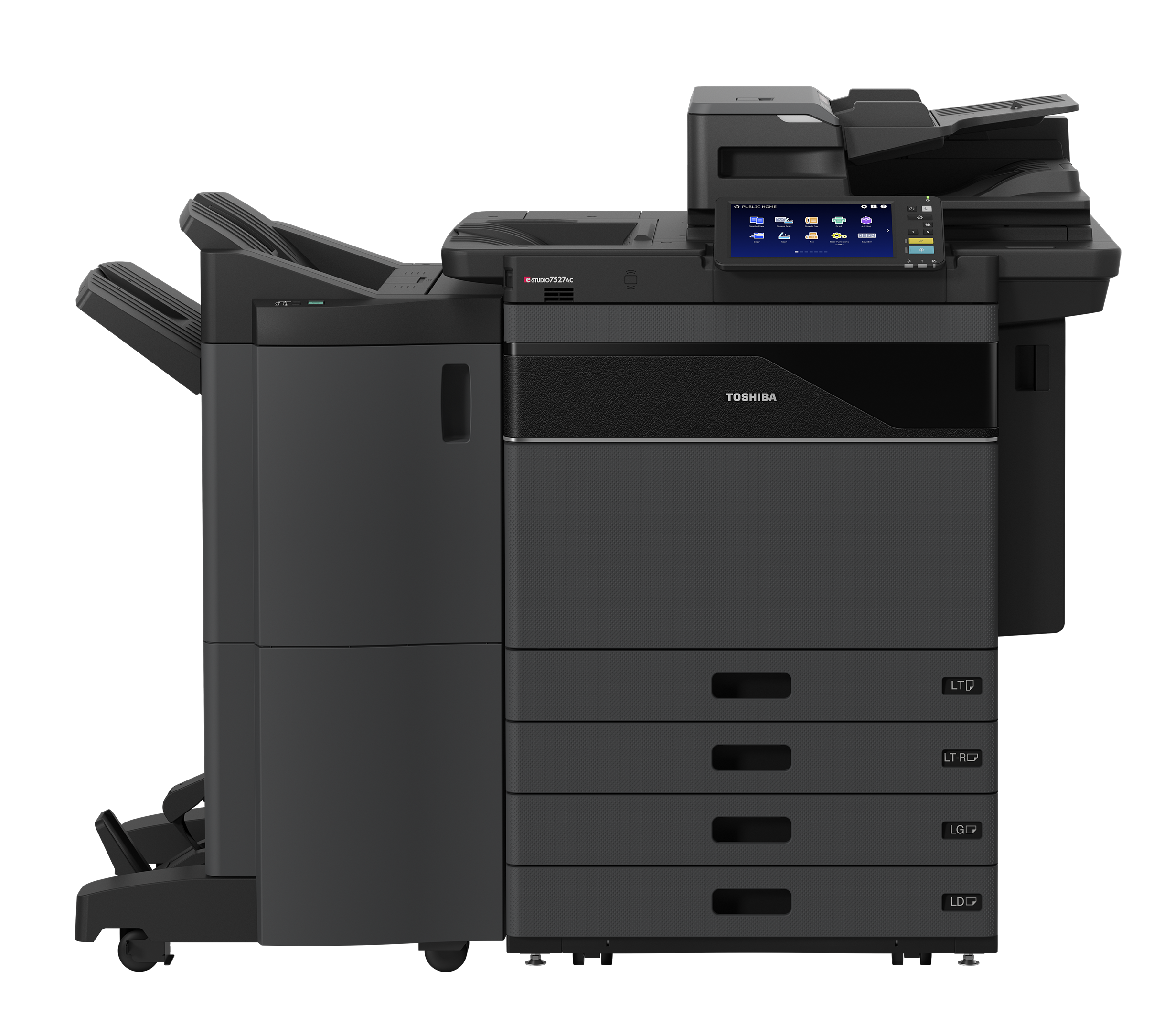
Toshiba e-Studio 7527AC

image

Toshiba e-STUDIO 7527AC

The perfect choice for today’s modern work environments
    • Print faster with speeds up to 75 pages per minute
    • Safeguard information with leading-edge security
    • Free your team to work remotely with cloud capabilities

Up to 11×17″

75 PPM

Color MFD

2,280-6,780 Paper Capacity

Productivity
Color print speeds of up to 75 PPM, Color / 85 PPM, Mono
DSDF Scan: Up to 240 IPM Duplex, 120 IPM Simplex
12″ x 18″ 140 lb index automatic duplexing from the drawers
13″ x 19″ 110 lb cover support through the bypass
Universal Print Driver
128GB Solid State Drive
Solutions Ready

Image Quality
Patented ASICs provide superb clarity and rich text renditions in all scanning, printing and copying jobs
Up to 1,200 x 1,200 dpi print resolution
Automatic Image quality control function

Operability
New Toshiba developed 10.1 inch tablet-style touch color control panel for easier operation
Scan Preview
Dual-line Fax Option
One Touch Templates

Serviceability
Easy Replaceable Unit Design
Long Life consumables and duty cycles

Copy Process Indirect Electrostatic Photographic Method/OPC/Laser Printing/Heat Roller Fusing
Display 10.1” Color WSVGA Touch Screen Tilting Display
Copy Speed Color: 75 PPM (LT), Monochrome: 85 PPM (LT)
First Copy Out Color: 5.4, Monochrome: 4.1
Warm-Up Time Approx. 20 Seconds
Copy Resolution 600 x 600 dpi
Stack Feed Bypass 3.9” x 5.8” to 13” x 19”, 12” x 47” Banner, Envelope
Multiple Copying Up to 9,999 Copies
Paper Capacity 4-Drawer: 2,280 Sheets/Max. 6,780 Sheets
Original Feed Standard 300-Sheet DSDF with Double Feed Detection
Scan Speed & Weights DSDF Scan: Up to 70 IPM (Monochrome or Color), Simplex or Duplex: 9.3-110 lb Bond
RADF Scan: Up to 50 IPM (Monochrome or Color), Simplex: 9.3-41.8 lb Bond, Duplex: 13.3-41.8 lb Bond
Max. Original Size LD
Paper Feed Sizes Drawers: 540 Sheets-ST-R to 12” x 18” Stack Feed Bypass: 120 Sheets-3.9” x 5.8” to 13” x 19”, 12” x 47” Banner 2,500-Sheet Ext. LCF LT-Only 2,000-Sheet Ext. Piggyback LCF LT-Only
Paper Weights 540 Sheets x 4: 16 lb Bond-140 lb Index, Stack Feed Bypass: 120 Sheets-16 lb Bond-110 lb Cover, Opt. 2,500-Sheet Ext. LCF: LT-Only -16 lb Bond-140 lb Index Opt. 2,000-Sheet Ext. Piggyback LCF: LT-Only -16 lb Bond-140 lb Index
Duplex Standard Automatic Duplex Unit (16 lb Bond-140 lb Index)
Reproduction Ratio 25% to 400%
Max Duty Cycle Max. 600K Month
Weight Approx. 470 lb
Approx. Dimensions 37.6” (W) x 27.5” (D) x 48.3” (H)
Toner Yield CMY 39,200, K: 106,600 @ 5%
Power Source 120 Volts, 50/60 Hz, 16 Amps
Power Consumption Maximum 2.0kW (120V)
Plug Type NEMA 5/15
Memory 6GB
Hard Disk Drive 128GB Solid State Drive (SSD)

PDL
PCL5e, PCL5c, PCL6 (PCL XL), PS3, PDF, XPS, JPEG

Print Speed
Color: 75 PPM (LT), Monochrome: 85 PPM (LT)

Print Resolution
600 x 600 dpi (5 bit), 1,200 x 1,200 dpi (Color/2 bit) or 3,600 x 1,200 dpi (BW/with Smoothing) PS3 Only

Operating Systems
Windows® 8.1, 10, 11, Windows Server® 2012/R2, Windows Server® 2016/19/22, Macintosh® (Mac OS x 10.10-15), Unix®, Linux®

Network Protocols
TCP/IP (IPv4, IPv6), NetBIOS over TCP/IP, IPX/SPX® for Novell® Environments, EtherTalk® for Macintosh Environments

Printing Protocols
SMB V1-3, LPR/LPD, IPP (V1.2) w/Authentication, (TLS1.2/1.3) AppleTalk PAP or EtherTalk™, Port 9100 (bi-directional), NetWare P-SERVER LPD w/ iPrint, Bluetooth (HCRP/BIP/OPP/FTP) WS Print, FTP

Print Drivers
Windows® 8.1 (32-bit, 64-bit), Windows Server® 2012 R2 (64-bit), Windows Server® 2016/19/22, (64-bit), Windows® 10, 11 (64-bit), Mac OS® X 10.12-15, 11, 12

Interface
RJ-45 Ethernet (10/100/1000 Base-T), USB 2.0 (High-speed) Optional 802.11b/g/n, Wireless LAN, Optional Bluetooth

Wireless Device
AirPrint™, Mopria®, e-BRIDGE Print & Capture Application on iOS and Android (Available via Apple App Store or Google Play

Device Management
TopAccess

Account Control
Up to 10,000 users or 1,000 Departments Supports User Authentication (on Device), Login Name/Password (via Windows domain) or Login Name/ Password (via LDAP Server) for Copy, Print, Scan, Fax, List, and User Function

Accessibility Features
Tilt Front Panel, Job Programs, Universal Grip for Paper Trays, Disable Screen Timeout and Audible Beep Message Alerts

Security Features
User Authentication, Trusted Platform Module, On-Board Data Scramble Function, SCEP, Disable, e-Filing, Disable Copy, Disk Overwrite, IP Address Filtering (10 Sets), MAC Address Filtering (10 Sets), Network Service Control, Network Port Control, SMB Packet Signing, SSL/TLS (HTTP, IPP, LDAP, SMTP, POP, FTP, DPWS, SYSLOG), IPsec (IKEv1, IKEv2), Security Mode Change, CC Certified (ISO/ IEC15408)* with HCD-PP v1.0, IEEE802.1X (Wired/Wireless), Digital Signature for Client Utilities, Password Policy, Password Lock, Password Expiration, Self Testing, Job Access Control, Log Access Control for Job Log, Security Stamp, Role Based Access Control, Secure PDF, Digital Signature for Firmware Update, Integrity Check Function, Image Log, Card Authentication, Biometric Authentication*Conformance with HCD-PPv1.0 in High Security Mode

Environmental Standards
ENERGY STAR® (V3.1), EPEAT Gold, California Proposition 65

Certification
WHQL (Windows 8, 8.1, 10, 11, 2012, 2012 R2, 2016/19/22), Novell, Citrix, SAP, AirPrint®, Mopria®

E-Bridge Cloud Extension Apps Make use of Toshiba’s add-on extensions to scan with the equipment directly into your cloud environment. Compatible with Microsoft 365 SharePoint and OneDrive or Google Drive.
e-Bridge Cloud Print Securely print your documents from anywhere. (Microsoft 365 or Google account required)
Elevate Sky Service dealer remote device troubleshooting.
Elevate Sky Translate Translate documents instantly from Toshiba MFPs with AI-powered precision—seamless multilingual communication made simple.​
Read more

Toshiba e-Studio 6529A

image

Toshiba e-STUDIO 6529A

The perfect choice for today’s modern work environments
    • Print faster with speeds up to 65 pages per minute
    • Automate workflows with a tablet-style touch screen
    • Accelerate tasks with high-performing technology
    • Personalize user interface by team for efficiency

Up to 11×17″

65 PPM

Mono MFD

3,520-8,020 paper capacity

Dual Scan Document Feeder
Available with Double Feed Detection – Scans up to 240 IPM; holds up to 300 originals (refillable)

10.1” Tiltable Front Panel
Makes programming jobs easier than ever – even for wheelchair users – and is Section 508 friendly

Card Reader Pocket
Provides increased security and enables controlled access to MFP

65-Sheet Stapling Finishers and an output capacity of up to 3,000 pages
Enables bigger jobs

Saddle Stitch Finishing
Enables up to 60-page booklets, and unique avalanche tray increases exit capacity

Soft Closing Drawers
Automatically pull drawer closed when initiated and provide a luxury experience

Integral Tandem LCF
Gives base unit 3,520 sheet supply while refillable design allows users to add paper while MFP is in use

2,500-Sheet External LCF
Boosts paper capacity to 6,020 sheets

Unique Piggyback LCF
Raises capacity to an amazing 8,020 sheets for the most demanding environments

Copy Process Indirect Electrostatic Photographic Method/OPC/Laser Printing/Heat Roller Fusing
Display 10.1” Color WSVGA Touch Screen Tilting Display
Copy Speed 65 PPM
First Copy Out Less Than 5.2 Seconds
Warm-Up Time Approx. 20 Seconds
Copy Resolution 600 x 600 dpi
Stack Feed Bypass 3.9” x 5.8” to 13” x 19”, 12” x 47” Banner, Envelope
Multiple Copying Up to 999 Copies
Paper Capacity Standard 3,520 Sheets/Max. 8,020 Sheets
Original Feed Standard 300-Sheet DSDF with Double Feed Detection
Scan Speed & Weights DSDF Scan: Up to 70 IPM (Monochrome or Color), Simplex or Duplex: 9.3-110 lb Bond
RADF Scan: Up to 50 IPM (Monochrome or Color), Simplex: 9.3-41.8 lb Bond, Duplex: 13.3-41.8 lb Bond
Max. Original Size LD
Paper Feed Sizes Drawers: 540 Sheets-ST-R to 12” x 18” Stack Feed Bypass: 120 Sheets-3.9” x 5.8” to 13” x 19”, 12” x 47” Banner 2,500-Sheet Ext. LCF LT-Only 2,000-Sheet Ext. Piggyback LCF LT-Only
Paper Weights 540 Sheets x 4: 16 lb Bond-140 lb Index, Stack Feed Bypass: 120 Sheets-16 lb Bond-110 lb Cover, Opt. 2,500-Sheet Ext. LCF: LT-Only -16 lb Bond-140 lb Index Opt. 2,000-Sheet Ext. Piggyback LCF: LT-Only -16 lb Bond-140 lb Index
Duplex Standard Automatic Duplex Unit (16 lb Bond-140 lb Index)
Reproduction Ratio 25% to 400%
Max Duty Cycle Max. 590K Month
Weight Approx. 430 lb
Approx. Dimensions 37.6” (W) x 27.5” (D) x 48.3” (H)
Toner Yield 106.6K @ 5%
Power Source 120 Volts, 50/60 Hz, 16 Amps
Power Consumption Maximum 2.0kW (120V)
Plug Type NEMA 5/20
Memory 6GB
Hard Disk Drive 128GB Solid State Drive (SSD)

PDL
PCL5e, PCL5c, PCL6 (PCL XL), PS3, PDF, XPS, JPEG

Print Resolution
600 x 600 dpi, 1,200 x 1,200 dpi or
3,600 (Equivalence) x 1,200 dpi (with Smoothing) (PS3 Only)

Operating Systems
Windows® 8.1,10, 11, Windows Server® 2012/R2, Windows Server® 2016/19/22, Macintosh® (macOS X 10.10-15, 12), Unix®, Linux®

Network Protocols
TCP/IP (IPv4, IPv6), NetBIOS over TCP/IP, IPX/SPX® for Novell® Environments, EtherTalk for Macintosh Environments

Printing Protocols
SMB V1-3, LPR/LPD, IPP V1.2 w/Authentication (TLS 1.2/1.3), AppleTalk® PAP or EtherTalk, Port 9100 (Bi-Directional), NetWare P-SERVER LPD
w/iPrint, Bluetooth (HCRP/BIP/OPP/FTP), WS Print, FTP

Print Drivers
Windows® 8.1 (32-bit, 64-bit), Windows Server® 2012/R2 (64-bit), Windows Server® 2016/19/22, Windows® 10, 11 (64-bit),
macOS X 10.12-15, 11, 12

Interface
RJ-45 Ethernet (10/100/1000 Base-T), USB 2.0 (High-Speed)
Optional IEEE802.11b/g/n, Wireless LAN, Optional Bluetooth

Wireless Device
AirPrint®, Mopria®, e-BRIDGE Print & Capture Application on iOS and Android (Available via Apple® App Store or Google Play)

Device Management
TopAccess

Account Control
Up to 10,000 Users or 1,000 Departments Supports User Authentication (on Device), Login Name/Password (via Windows® Domain) or Login Name/Password (via LDAP Server) for Copy, Print, Scan, Fax, List, and User Function

Accessibility Features
Tilt Front Panel, Job Programs, Universal Grip for Paper Trays, Disable Screen Timeout, Audible Beeps, Optional Voice Assist

Security Features
User Authentication, Trusted Platform Module, On-Board Data Scramble Function, SCEP, Disable, e-Filing, Disable Copy, Disk Overwrite* , IP Address Filtering (10 Sets), MAC Address Filtering (10 Sets), Network Service Control, Network Port Control, SMB Packet Signing, SSL/TLS (HTTP, IPP, LDAP, SMTP, POP, FTP, DPWS, SYSLOG), IPsec (IKEv1, IKEv2), Security Mode Change, CC Certified (ISO/IEC15408)* with HCD-PP v1.0, IEEE802.1X (Wired/Wireless), Digital Signature for Client Utilities, Password Policy, Password Lock, Password Expiration, Self Testing, Job Access Control, Log Access Control for Job Log, Security Stamp, Role Based Access Control, Secure PDF, Digital Signature for Firmware Update, Integrity Check Function, Image Log, Card Authentication, Biometric Authentication *Conformance with HCD-PPv1.0 in High Security Mode

Environmental Standards
ENERGY STAR® (V3.1), EPEAT Gold, Californian Proposition 65
Certifications WHQL (Windows® 8, 8.1, 10, 11, 2012, 2012 R2, 2016/19/22), Novell®, Citrix®, SAP, AirPrint® and Mopria®

E-Bridge Cloud Extension Apps Make use of Toshiba’s add-on extensions to scan with the equipment directly into your cloud environment. Compatible with Microsoft 365 SharePoint and OneDrive or Google Drive.
e-Bridge Cloud Print Securely print your documents from anywhere. (Microsoft 365 or Google account required)
Elevate Sky Service dealer remote device troubleshooting.
Elevate Sky Translate Translate documents instantly from Toshiba MFPs with AI-powered precision—seamless multilingual communication made simple.​
Read more

Toshiba e-Studio 6527AC

image

Toshiba e-STUDIO 6527AC

The perfect choice for today’s modern work environments
    • Print faster with speeds up to 65 pages per minute
    • Safeguard information with leading-edge security
    • Free your team to work remotely with cloud capabilities

Up to 11×17″

65 PPM

Color MFD

2,280-6,780 Paper Capacity

Productivity
Color print speeds of up to 65 PPM, Color / 75 PPM, Mono
DSDF Scan: Up to 240 IPM Duplex, 120 IPM Simplex
12″ x 18″ 140 lb index automatic duplexing from the drawers
13″ x 19″ 110 lb cover support through the bypass
Universal Print Driver
128GB Solid State Drive
Solutions Ready

Image Quality
Patented ASICs provide superb clarity and rich text renditions in all scanning, printing and copying jobs
Up to 1,200 x 1,200 dpi print resolution
Automatic Image quality control function

Operability
New Toshiba developed 10.1 inch tablet-style touch color control panel for easier operation
Scan Preview
Dual-line Fax Option
One Touch Templates

Serviceability
Easy Replaceable Unit Design
Long Life consumables and duty cycles

Copy Process Indirect Electrostatic Photographic Method/OPC/Laser Printing/Heat Roller Fusing
Display 10.1” Color WSVGA Touch Screen Tilting Display
Copy Speed Color: 65 PPM (LT), Monochrome: 75 PPM (LT)
First Copy Out Color: 6.4, Monochrome: 4.5
Warm-Up Time Approx. 20 Seconds
Copy Resolution 600 x 600 dpi
Stack Feed Bypass 3.9” x 5.8” to 13” x 19”, 12” x 47” Banner, Envelope
Multiple Copying Up to 9,999 Copies
Paper Capacity 4-Drawer: 2,280 Sheets/Max. 6,780 Sheets
Original Feed Standard 300-Sheet DSDF with Double Feed Detection
Scan Speed & Weights DSDF Scan: Up to 70 IPM (Monochrome or Color), Simplex or Duplex: 9.3-110 lb Bond
RADF Scan: Up to 50 IPM (Monochrome or Color), Simplex: 9.3-41.8 lb Bond, Duplex: 13.3-41.8 lb Bond
Max. Original Size LD
Paper Feed Sizes Drawers: 540 Sheets-ST-R to 12” x 18” Stack Feed Bypass: 120 Sheets-3.9” x 5.8” to 13” x 19”, 12” x 47” Banner 2,500-Sheet Ext. LCF LT-Only 2,000-Sheet Ext. Piggyback LCF LT-Only
Paper Weights 540 Sheets x 4: 16 lb Bond-140 lb Index, Stack Feed Bypass: 120 Sheets-16 lb Bond-110 lb Cover, Opt. 2,500-Sheet Ext. LCF: LT-Only -16 lb Bond-140 lb Index Opt. 2,000-Sheet Ext. Piggyback LCF: LT-Only -16 lb Bond-140 lb Index
Duplex Standard Automatic Duplex Unit (16 lb Bond-140 lb Index)
Reproduction Ratio 25% to 400%
Max Duty Cycle Max. 540K Month (Color: 100%)
Weight Approx. 470 lb
Approx. Dimensions 37.6” (W) x 27.5” (D) x 48.3” (H)
Toner Yield CMY 39,200, K: 106,600 @ 5%
Power Source 120 Volts, 50/60 Hz, 16 Amps
Power Consumption Maximum 2.0kW (120V)
Plug Type NEMA 5/15
Memory 6GB
Hard Disk Drive 128GB Solid State Drive (SSD)

PDL
PCL5e, PCL5c, PCL6 (PCL XL), PS3, PDF, XPS, JPEG

Print Speed
Color: 65 PPM (LT), Monochrome: 75 PPM (LT)

Print Resolution
600 x 600 dpi (5 bit), 1,200 x 1,200 dpi (Color/2 bit) or 3,600 x 1,200 dpi (BW/with Smoothing) PS3 Only

Operating Systems
Windows® 8.1, 10, 11, Windows Server® 2012/R2, Windows Server® 2016/19/22, Macintosh® (Mac OS x 10.10-15), Unix®, Linux®

Network Protocols
TCP/IP (IPv4, IPv6), NetBIOS over TCP/IP, IPX/SPX® for Novell® Environments, EtherTalk® for Macintosh Environments

Printing Protocols
SMB V1-3, LPR/LPD, IPP (V1.2) w/Authentication, (TLS1.2/1.3) AppleTalk PAP or EtherTalk™, Port 9100 (bi-directional), NetWare P-SERVER LPD w/ iPrint, Bluetooth (HCRP/BIP/OPP/FTP) WS Print, FTP

Print Drivers
Windows® 8.1 (32-bit, 64-bit), Windows Server® 2012 R2 (64-bit), Windows Server® 2016/19/22, (64-bit), Windows® 10, 11 (64-bit), Mac OS® X 10.12-15, 11, 12

Interface
RJ-45 Ethernet (10/100/1000 Base-T), USB 2.0 (High-speed) Optional 802.11b/g/n, Wireless LAN, Optional Bluetooth

Wireless Device
AirPrint™, Mopria®, e-BRIDGE Print & Capture Application on iOS and Android (Available via Apple App Store or Google Play

Device Management
TopAccess

Account Control
Up to 10,000 users or 1,000 Departments Supports User Authentication (on Device), Login Name/Password (via Windows domain) or Login Name/ Password (via LDAP Server) for Copy, Print, Scan, Fax, List, and User Function

Accessibility Features
Tilt Front Panel, Job Programs, Universal Grip for Paper Trays, Disable Screen Timeout and Audible Beep Message Alerts

Security Features
User Authentication, Trusted Platform Module, On-Board Data Scramble Function, SCEP, Disable, e-Filing, Disable Copy, Disk Overwrite, IP Address Filtering (10 Sets), MAC Address Filtering (10 Sets), Network Service Control, Network Port Control, SMB Packet Signing, SSL/TLS (HTTP, IPP, LDAP, SMTP, POP, FTP, DPWS, SYSLOG), IPsec (IKEv1, IKEv2), Security Mode Change, CC Certified (ISO/ IEC15408)* with HCD-PP v1.0, IEEE802.1X (Wired/Wireless), Digital Signature for Client Utilities, Password Policy, Password Lock, Password Expiration, Self Testing, Job Access Control, Log Access Control for Job Log, Security Stamp, Role Based Access Control, Secure PDF, Digital Signature for Firmware Update, Integrity Check Function, Image Log, Card Authentication, Biometric Authentication*Conformance with HCD-PPv1.0 in High Security Mode

Environmental Standards
ENERGY STAR® (V3.1), EPEAT Gold, California Proposition 65

Certification
WHQL (Windows 8, 8.1, 10, 11, 2012, 2012 R2, 2016/19/22), Novell, Citrix, SAP, AirPrint®, Mopria®

E-Bridge Cloud Extension Apps Make use of Toshiba’s add-on extensions to scan with the equipment directly into your cloud environment. Compatible with Microsoft 365 SharePoint and OneDrive or Google Drive.
e-Bridge Cloud Print Securely print your documents from anywhere. (Microsoft 365 or Google account required)
Elevate Sky Service dealer remote device troubleshooting.
Elevate Sky Translate Translate documents instantly from Toshiba MFPs with AI-powered precision—seamless multilingual communication made simple.​
Read more